
 Need help?
Do you have a question about the marposs P5 and is the answer not in the manual?
This guide is customized to the grinding machine on which the gauge is installed and describes its specific measurement application.
Conventions are standard methods of representing components or functions.
The gauge has two modes of operation – automatic and manual.
The gauge software is divided into folders, with similar functions grouped into sub-folders.
Seven main folders contain all the functions of the gauge, each with an icon and description.
Sub-folders are the second level of the gauge software structure, containing pages with similar functions.
Pages are the third levels of the gauge software structure, each containing a function with information and software buttons.
Menu maps show the arrangement of pages, sub-folders, and folders for different applications and modes.
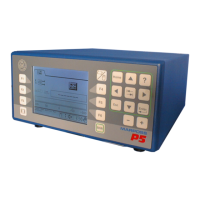
The gauge front panel allows operators to view information and access program pages using the keypad.
Details the functions of the F keys, Hot menu key, and Shift key on the gauge's front panel.
Describes the function of each key on the keypad, including Home, ?, Arrows, TAB, Esc, Enter, Minus, and Plus.
Explains key combinations like Shift+Arrows and Shift+Esc for specific operations.
Explains how F keys can be used as Function keys or Hot keys, with examples of their usage.
Provides a step-by-step guide on how to define Hot keys for quick navigation.
Details the procedure for removing or deleting a previously defined Hot Key.
Explains how to navigate through the program using cursor controls, hot keys, and the home key.
Explains how to use cursor keys, Enter, and Esc keys to navigate through the program.
Describes how to use Hot keys as shortcuts for navigating the program.
Explains how to define a default Home Page or screen for the gauge.
Provides steps on how to get back to a known state or navigate the menu map if lost.
Details how to perform a panel test and view the software version at system power-on.
Explains how to select values from a predefined list for parameters.
Describes two methods for changing numerical values on the gauge interface.
Explains how to reset values using a key combination.
Details how to select Part Types and Cycles in manual mode for machining data.
Discusses common causes and solutions when the gauge system cannot be zeroed.
 General
| Brand | marposs |
|---|---|
| Model | P5 |
| Category | Controller |
| Language | English |

 To Next Page
