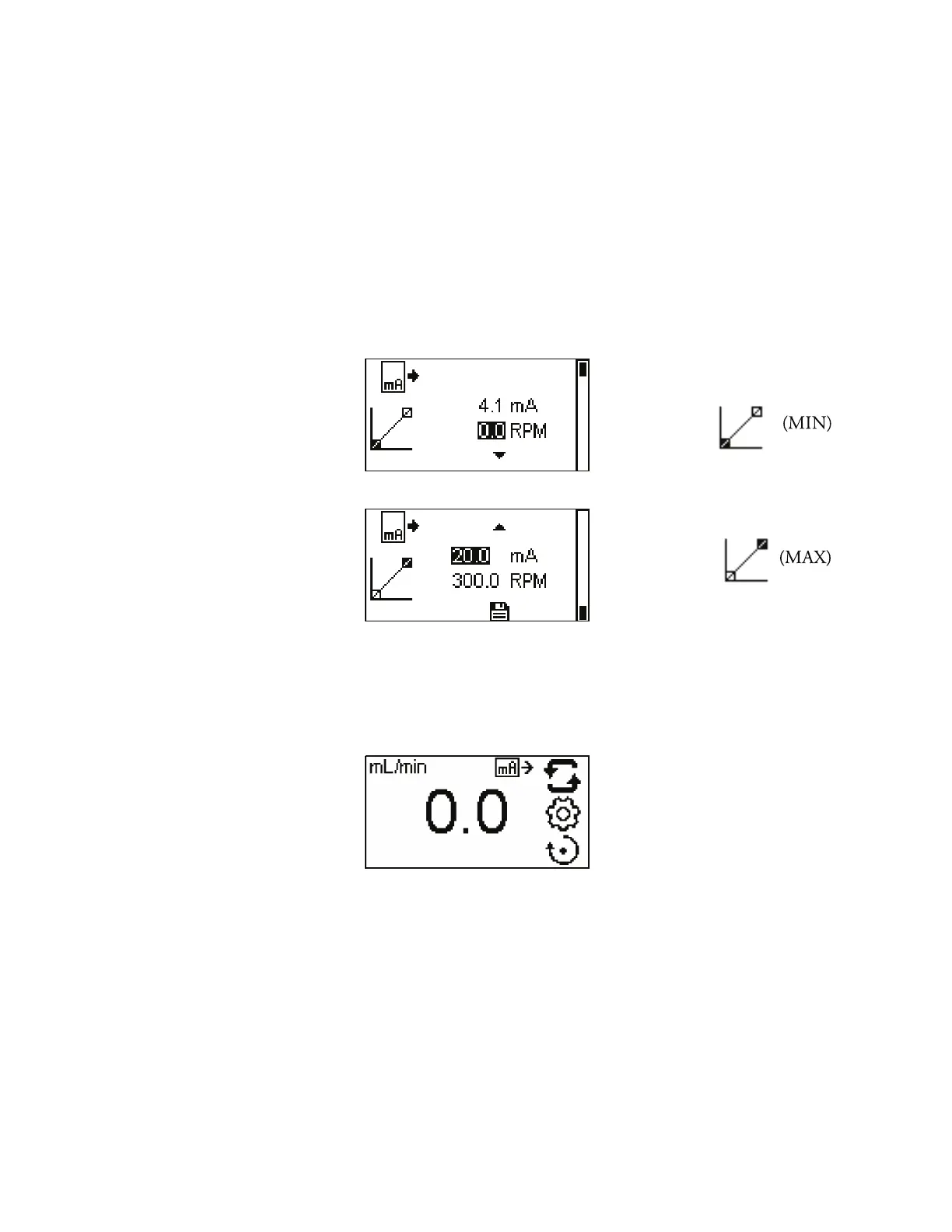
is will take you to the setpoint screen. e user has an option to adjust
the minimum and maximum setpoints for current and RPM. e
setpoints being edited will be blinking on the slope. To change which
setpoint to edit use the UP or DOWN to select screen. By default the
minimum (MIN) RPM is set to 0.0 and the current is set to 4.1 mA.
e maximum is set to maximum (MAX) RPM and the current is set to
20.0 mA. e scaling can be inverted, if necessary. e current is linear
between these two points. After both setpoints have been adjusted, save
both setpoints from the upper setpoint setting screen by highlighting the
save icon and pressing ENTER.
To confirm CURRENT OUTPUT MODE is ON, press the BACK key
until the CONTINUOUS PUMP MODE screen appears. e Current
output icon will be displayed.
NOTE: When Current Output is selected the drive will not start until
the CURRENT OUTPUT is ON and is in CONTINUOUS PUMP
MODE.
NOTE: e Current Output indicates the Running Command Speed.
Use the Motor Running contacts (normally open) to indicate if pump
is running.
Remote Control
Current Output Menu
(continued)
3-20 MASTERFLEX
®
Digital Pump Drive Operating Manuall Masterflex
Section 3
Operation



 To Next Page