13)
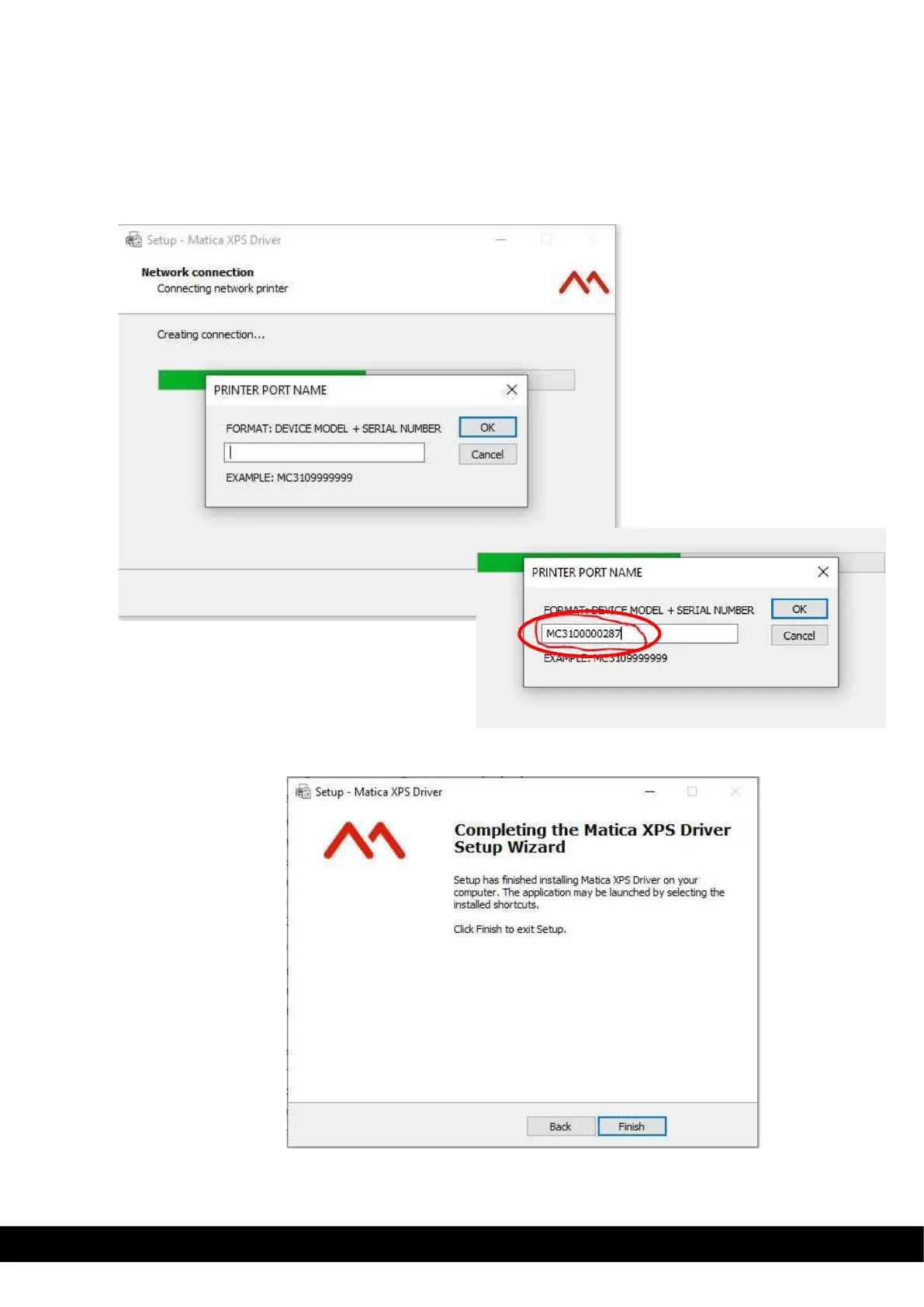
Connect the printer using DCP option, below dialog box appears. It allows user to add the printer port name as the
guideline provided in it i.e Model name + 7 digit serial number
An example shown below,
If printer Model name is MC320, then format is MC320 +Serial number of the printer, i.e.MC3209999999
Below snapshot of an Example.
14)
Click Finish to complete the Matica XPS Driver setup wizard



 To Next Page