6.
Once IP address set or noted down, disconnect the USB connection from printer.
7.
For connecting the MC320 through Static IP run the MC320 driver installer & follow the steps explaining
in Sub chapter 4.1.2.1 DCP from steps 1 to 11.
8.
Connect the LAN cable and Switch OFF & Switch ON the printer.
9.
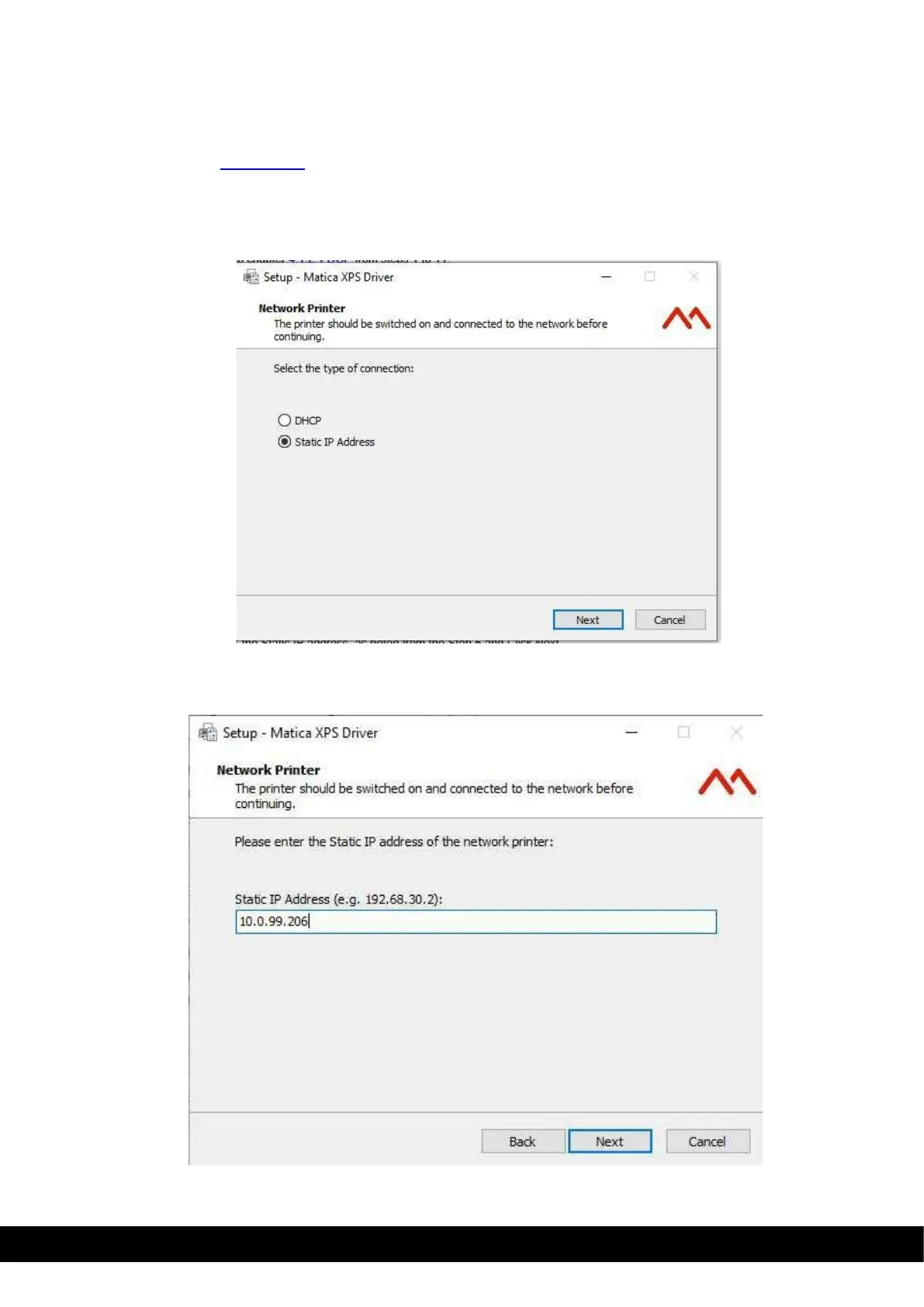
Select Static IP address and Click ´Next´.
10.
Enter the Static IP address, as noted from the Step 5 and Click Next,



 To Next Page