5.1.1.2
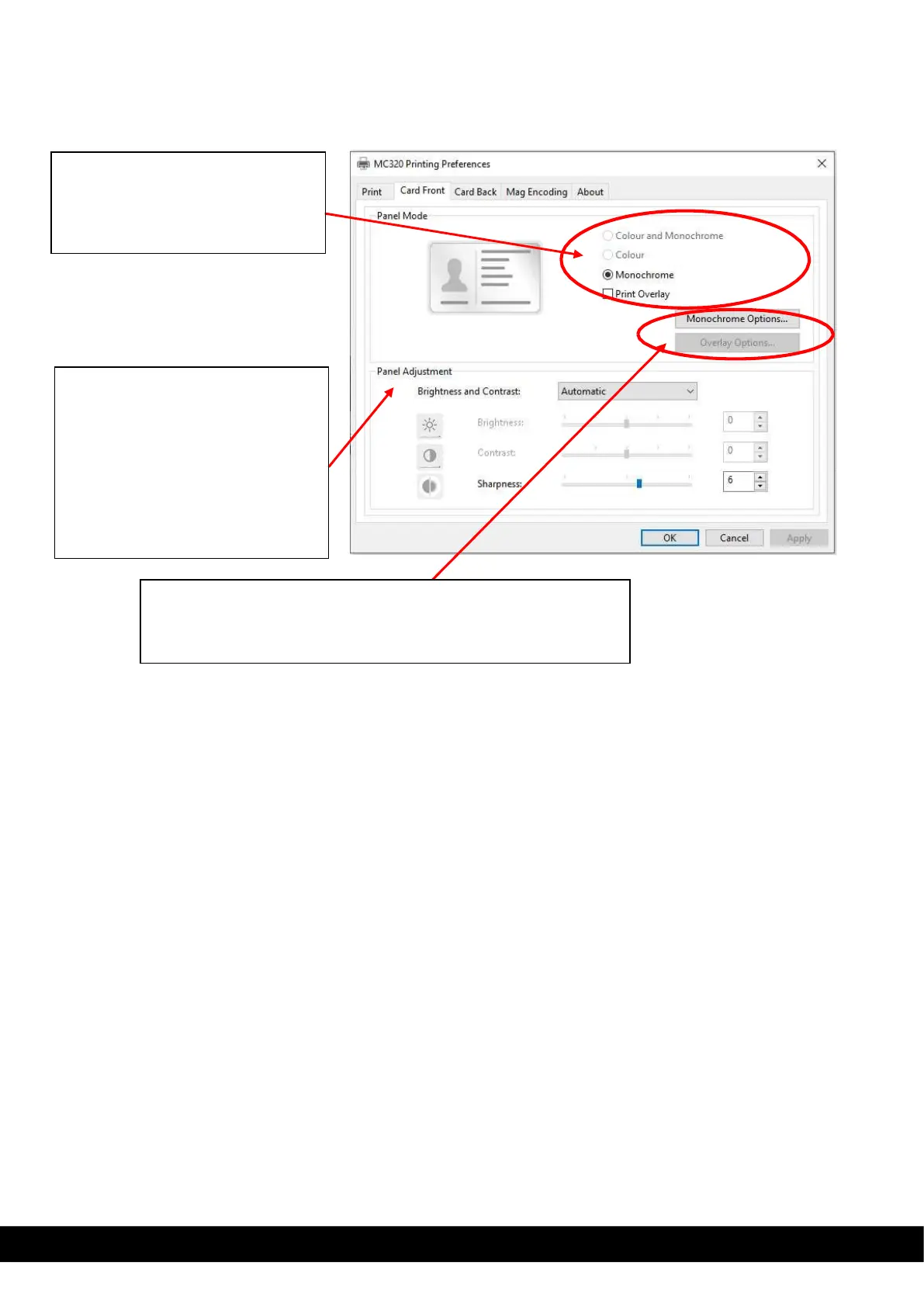
Card front Setting tab
Monochrome option: This option allows the user to set the contrast
and Half tone for monochrome panel.
Overlay option: This option allows the user to set contrast for
Panel Adjustment: using this option
the user can select Automatic &
manual setting of Brightness,
Contrast & Sharpness.
Automatic: Default setting available.
Manual: By selecting this option the
user can vary the brightness
contrast & sharpness, based on the
print image requirement.
Panel Mode setting: based on type
of ribbon added inside the printer for
printing, the user allowed set color,
monochrome & overlay option for



 To Next Page