140 CONTENTS
Figure 10: wxPropView - AcquisitionStart
17.7 Synchronous acquisition with different camera settings
For details, how you can create a synchronous acquisition with different camera settings is described in section
Setting up multiple display support and/or work with several capture settings in parallel (p. 59).
It is also possible to control the synchronous acquisition with the frame grabber's HRTC (p. 107).
For this, you have
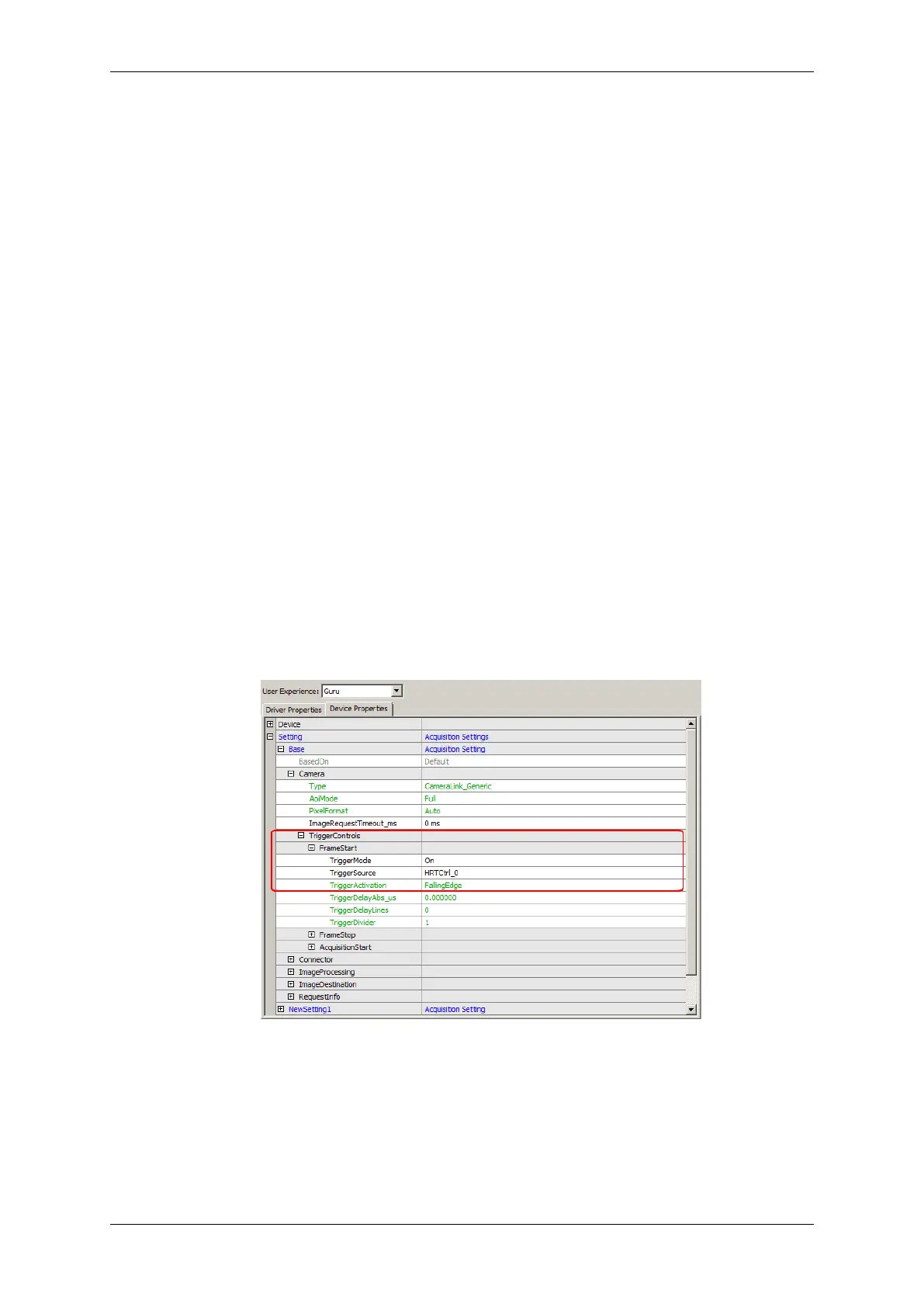
1. to set the "TriggerSource" ("Setting") of both capture settings to e.g. "HRTCtrl_0" and select the "Trigger←-
Activation" e.g. "FallingEdge".
This means that the FrameStart will start after a falling edge from the HRTC.
Figure 1: wxPropView - TriggerSource
2. Then, you have to set the "Digital I/O -> Digital Outputs -> ControlMode" to "HardwareRealTime←-
Controller".
MATRIX VISION GmbH


 To Next Page