9.1 wxPropView 89
9.1.2.7 Camera acquisition techniques
There are different camera acquisition techniques. How you can set them with wxPropView (p. 48), which will be
shown in the following section.
9.1.2.7.1 StartTrigger
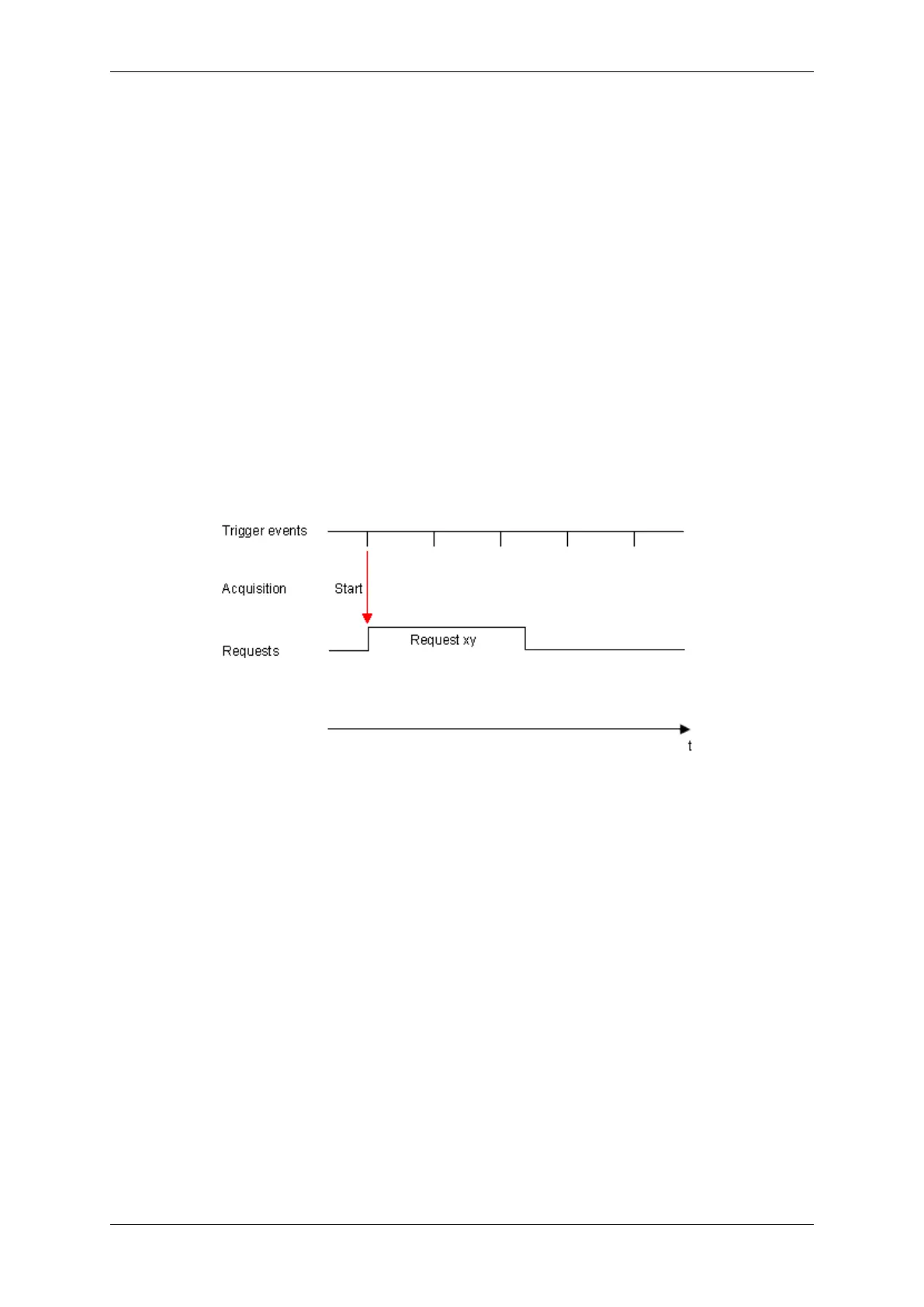
Directly after the trigger signal the acquisition starts. If you have, for example, a line scan camera and want to
acquire 1000 lines, 1000 lines will be acquired. During this time, further trigger signals are ignored.
Figure 45: StartTrigger
To use StartTrigger, in wxPropView (p. 48) you have to
• set "Image Settings -> Camera -> TriggerControls -> FrameStart" to "On",
• select in "FrameStart" the used "TriggerSource" and
• set "Image Settings -> Camera -> TriggerControls -> FrameStop" to "Off".
MATRIX VISION GmbH


 To Next Page