9.1 wxPropView 91
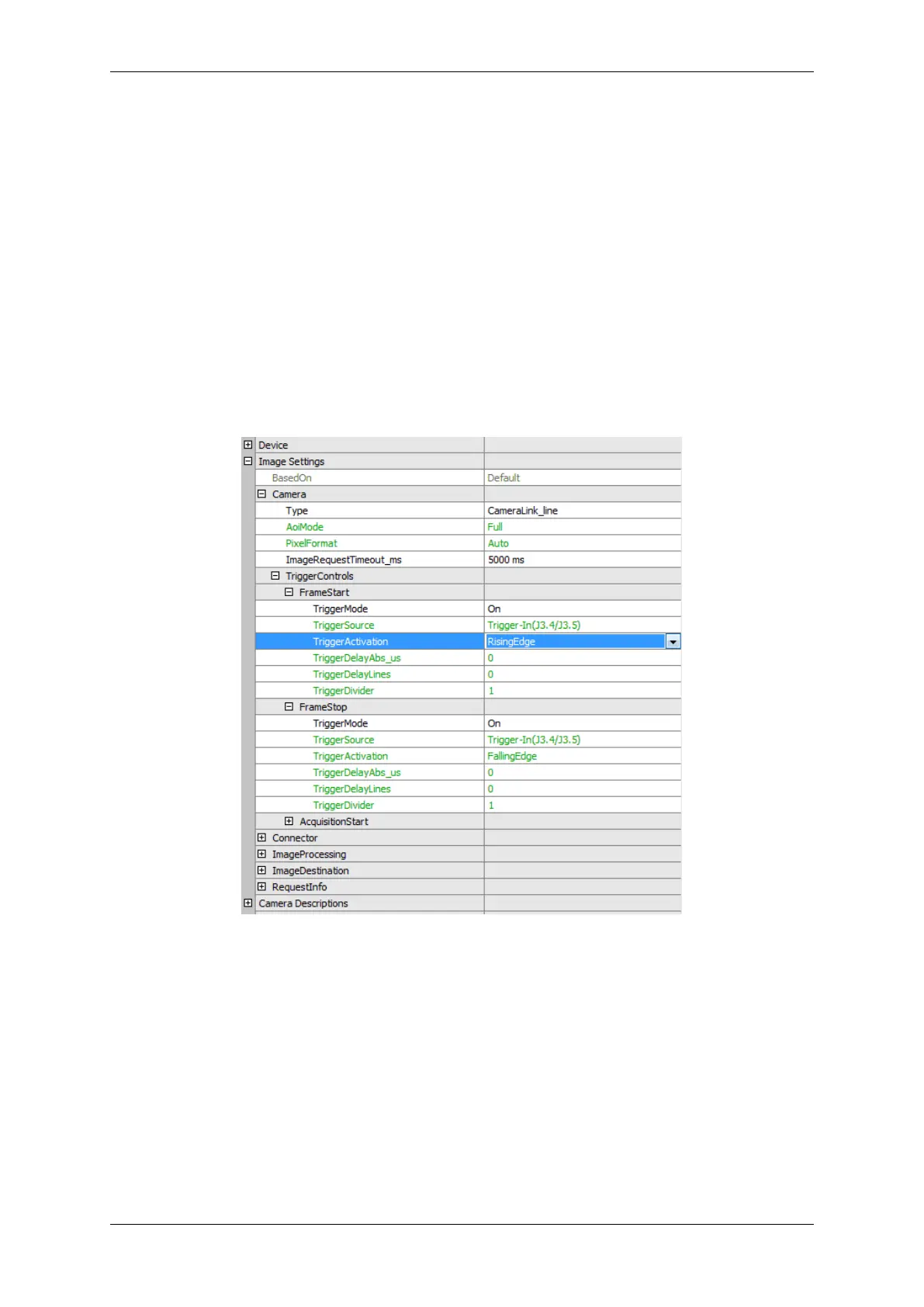
To use TriggerStartStop, in wxPropView (p. 48) you have to
• set "Image Settings -> Camera -> TriggerControls -> FrameStart" to "On",
• select in "FrameStart" the used "TriggerSource",
• set "Image Settings -> Camera -> TriggerControls -> FrameStop" to "On" and
• select in "FrameStop" the used "TriggerSource".
Figure 48: wxPropView - Setting TriggerStartStop
9.1.2.7.3 TriggerStartStop - Restart
With "TriggerStartStop - Restart" the first trigger starts the acquisition and following trigger signal stops the previ-
ous acquisition and starts the next one.
MATRIX VISION GmbH


 To Next Page