6
Chapter 2, Matrox Monarch HDX Hardware and Connections
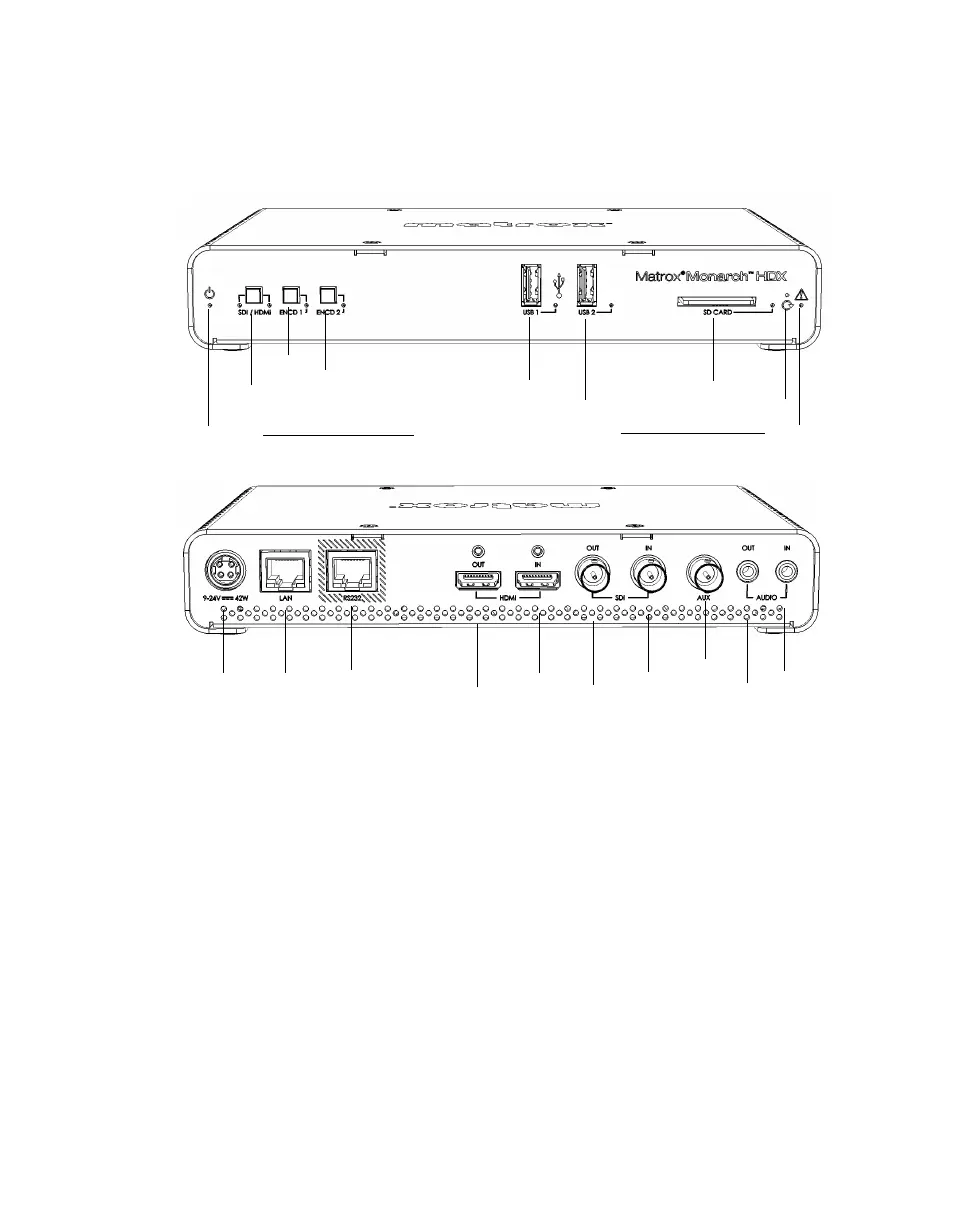
Matrox Monarch HDX hardware
This section explains the Matrox Monarch HDX hardware components. For
hardware technical specifications, see Appendix C, “Matrox Monarch HDX
Specifications.”
Input select button (SDI/HDMI)
With the input select button, you can select from either an HDMI or SDI input
source, and an LED illuminates indicating which source is in use. You can also
select the input source in the Command Center.
¡ Important While streaming or recording, any attempt to switch between
inputs by pressing the
Input select button will not have any effect, whether or
not the front panel buttons have been disabled. This is the case only for the
Input
select
button; however, selecting Disable front panel buttons on this
Monarch HDX device
under the Control tab of the Device page disables all
three buttons.
Encoder 1
Encoder 2
USB port 1
USB port 2
SD card slot
(Analog audio)
LAN
HDMI out
Power
HDMI in
output
input
RS-232
SDI out
SDI in
AUX
Input select
Power LED
Warning
LED
Reset button
See “Status LEDs” on page 14.



 To Next Page