22
Chapter 4, Using the Command Center
Introduction
The Monarch HDX Command Center is a web-based application that allows you
to configure Monarch HDX settings, and control streaming and recording
sessions.You can enter the network IP address of your Monarch HDX device in
your browser, or use the Monarch HDX Utils to access the Command Center (see
“Accessing the Command Center” on page 19).
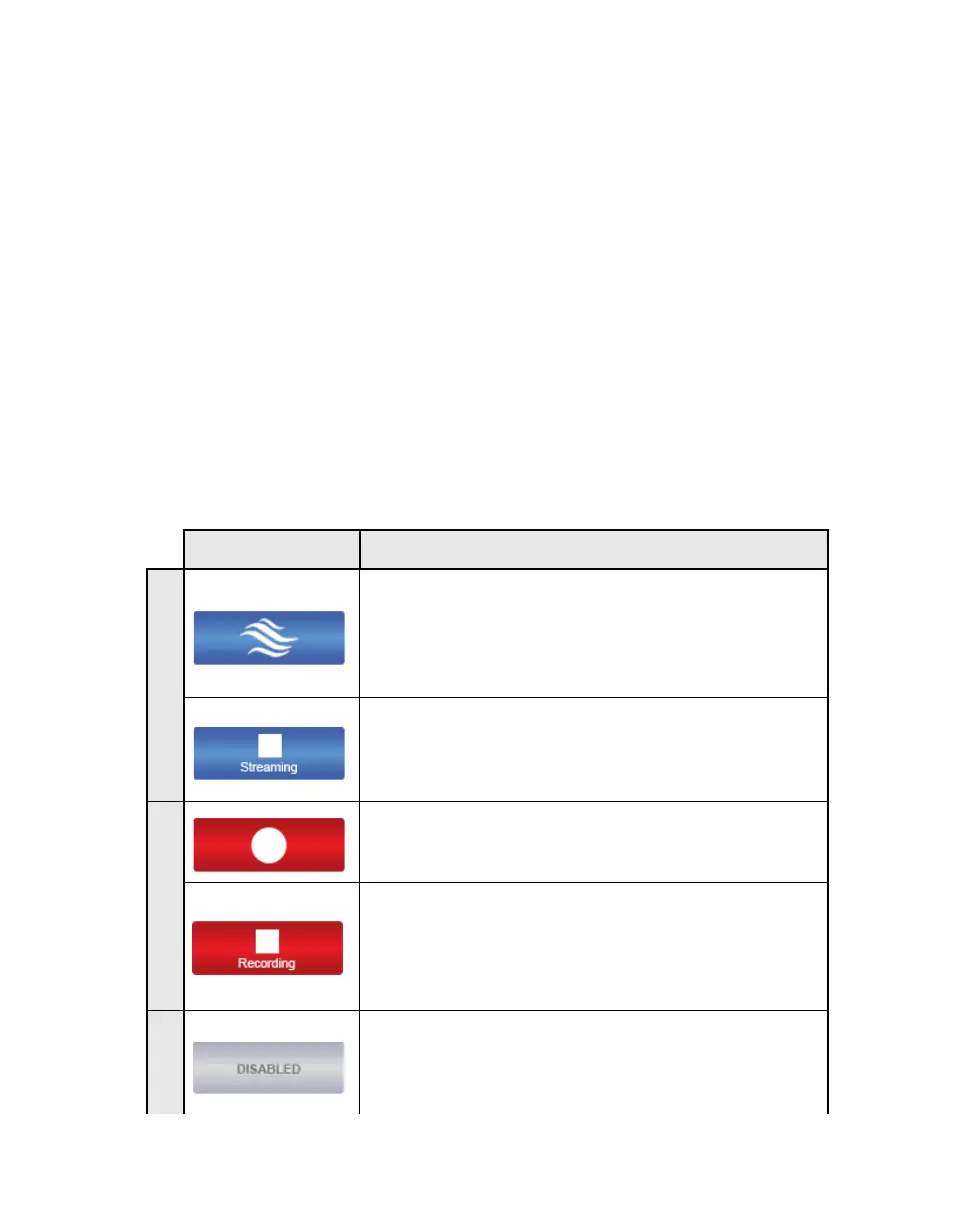
Command Center control buttons
Each encoder has its own button for starting or stopping sessions. Their
appearance changes based on the operating mode you select for that encoder. The
top button is for Encoder 1, and the bottom button is for Encoder 2 (see
“Monarch HDX operating modes” on page 29).
You can also control the Monarch HDX by using the encoder buttons on the
Monarch HDX device. For more information, see Chapter 2, “Matrox Monarch
HDX Hardware and Connections”.
The following table details the different states of the control buttons.
Button Function
This button indicates that an encoder is set to stream (but
not which streaming mode). Click this button to start
streaming the input source. If controlling multiple
Monarch HDX devices, those devices set to stream will
begin to stream their input sources as well.
This pulsing button indicates that an encoder is currently
streaming. Click this button to stop streaming. If
controlling multiple Monarch HDX devices, those
devices set to stream will stop streaming as well.
Click this button to start recording the input source. If
controlling multiple Monarch HDX devices, those
devices will begin to record their input sources as well.
This pulsing button indicates that an encoder is currently
recording its input source. Click this button to stop
recording. If controlling multiple Monarch HDX devices,
those devices will stop recording their input source as
well.
Although not a button, this is the placeholder of a
disabled encoder’s control button. This is only seen when
None is selected as the operating mode on the Encoder
Settings
page.



 To Next Page