11
Matrox Monarch HDX hardware
Analog audio input
Allows you to input an unbalanced stereo analog audio source for streaming and
recording. To select whether to stream and record the first two audio channels
present in the selected video input or the audio connected to the Monarch HDX
analog audio input, see “Audio Input Settings” on page 26.
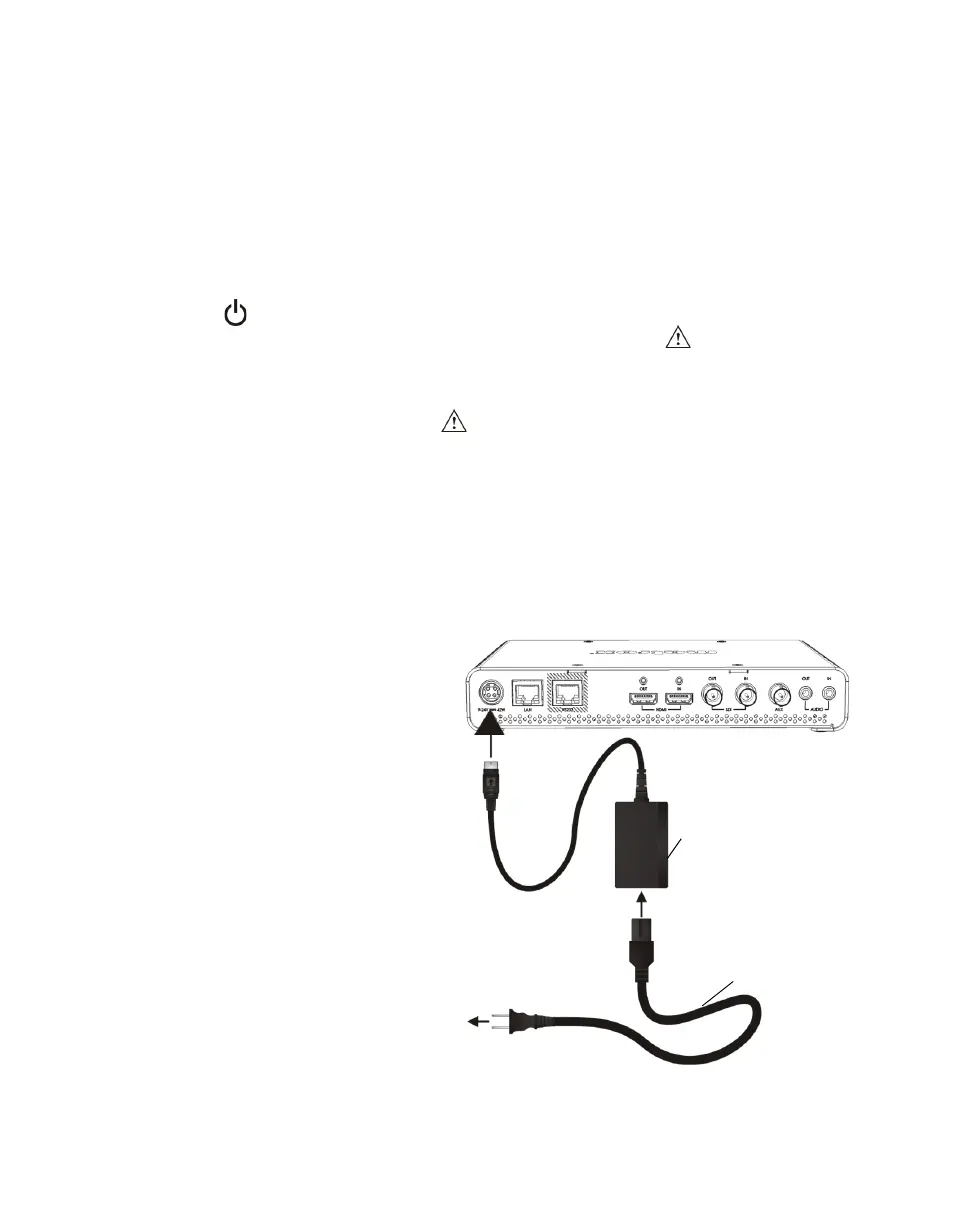
Powering Monarch HDX
Power the Monarch HDX device using an AC outlet via the external power
supply and a power cord. When power is supplied to Monarch HDX, the Power
( ) LED goes on, and the device begins a power-up sequence during which
various LEDs will flash on and off. The Warning LED ( ) will begin to flash
early during the boot up sequence, and once it stops flashing, the Monarch HDX
is ready for use.
¦NoteThe Warning LED ( ) may remain on if there is an error condition (see
“Status page” on page 23 for more information).
To power off Monarch HDX, disconnect Monarch HDX from the power source.
For power specifications, see Appendix C, “Matrox Monarch HDX
Specifications”.
¦NoteWhen the device is powered off, all current settings are maintained and
any logged errors are cleared (see “Monarch HDX errors” on page 24).
External
power supply
To AC
outlet
Power cord
²Caution When
disconnecting the
power supply from
Monarch HDX, make
sure that you slide
back the casing on the
connector to release
the locking
mechanism.
Monarch HDX



 To Next Page