28
Chapter 4, Using the Command Center
Encoder Settings
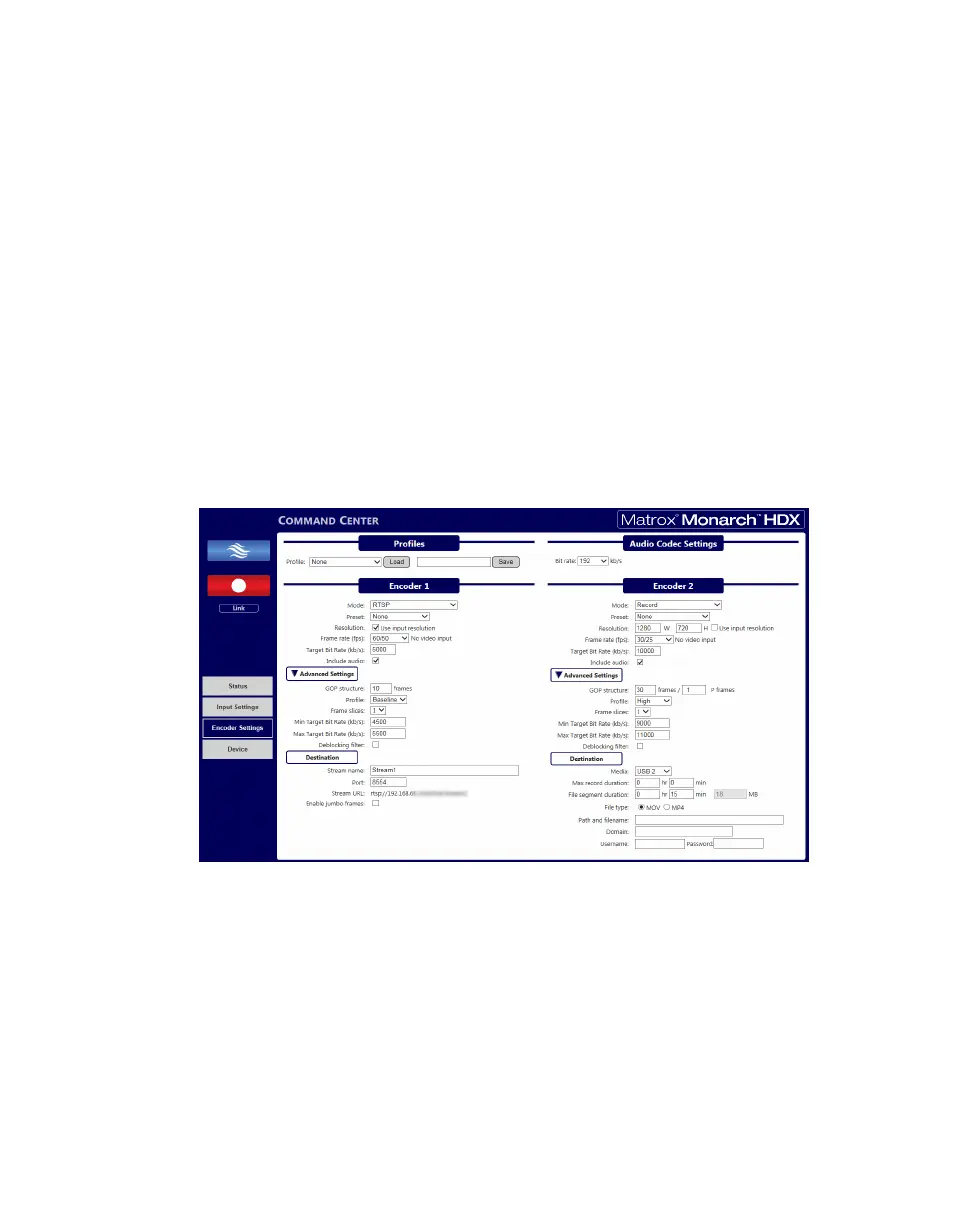
The Encoder Settings page in the Command Center lets you set stream and
record settings for the Monarch HDX device. Monarch HDX also lets you save
profiles and has several presets that can speed up the start of a project, meaning
that you do not have to recall every parameter for repeated encoder settings (see
“Profiles and “Presets).
¦NoteIf controlling multiple devices, each device on the network operates
based on its own stream/record settings (see “Enabling multi-device control” on
page 37).
¡ Important To save changes made in the Encoder Settings page, you must
click the
Apply button. If you leave the Encoder Settings page before applying
the settings, all changes will be lost.
To access the stream and record settings, open the Monarch HDX Command
Center (see “Accessing the Command Center” on page 19), and then choose
Encoder Settings.
Profiles
Monarch HDX lets you save up to eight profiles that you can load at any time. A
profile contains encoding parameters and destination information detailing where
the encoded video is being sent (see “Status page” on page 23). You can save
multiple profiles to the Monarch HDX based on your needs, and saved profiles
can be loaded instantly without having to re-enter data. Whether you use preset
or custom parameters, you only need to enter them once, and then save them as a
unique profile.



 To Next Page