Hi‐TCentralizedcontroller
11
9. Iconsofthenavigationsidebar
3.4.1.1 ASSIGNMENTOFNAMESTOTHECHILLERS
Fortheassignmentofthenametoachiller,youmustnavigatebetweenthepagesofthechillerconnectedtothenetworkuntilyou
gettothepageofthechillerwhichyouwanttochangethe
name:forapplythis,youhaveto makesingle pressintothepressure
sensitivearea4.Onceyoufindthechiller,pressandholdforafewsecondsinthesamearea4.Thencomposewiththekeyboard
thatappearsthedesiredname.
Figure11.Insertchillername.
Thenameofthechillercanhaveamaximumof13characters.
3.4.1.2 CHILLERAREA
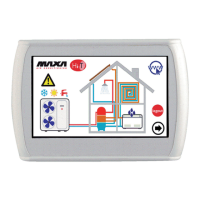
Thearea5showninFigure10givesindicationsaboutthe operation(compressorrunning)ofthechiller,graphicallydisplayingthe
fanrotation.
Pushingdownonthearea5youaccesstoafurtherscreen
thatshowsalistofreaddatainrealtimerelatedtotheinvolvedchiller:
• Inletwatertemperature(°C)
• Outletwatertemperature(°C)
• Sanitaryprobetemperature(ifit’spresentandconfigured,°C).
Accessingthesame pagewith serviceor manufactureraccessright (toenable theaccessright,
pressonthe “configurations”icon
presentinthesensitivearea8ofFigure10andsettheservice/manufacturerpassword),thedatadisplayedinreal‐timeare:
• Inletwatertemperature(°C)
• Outletwatertemperature(°C)
• Sanitaryprobetemperature(ifit’spresentandconfigured)
• Highpressure(bar)
•
Lowpressure(bar)
• Compressorspeed(Hz)
• Openingexpansionvalve(step)
• Fanspeed(%)
• Pumpspeed(%)
• Overheating(°C)
• Compressoroperatinghours(Hr.)
• Pumpoperatinghours(Hr.)


 To Next Page
