Hi‐TCentralizedcontroller
41
6 FIRMWAREUPDATE
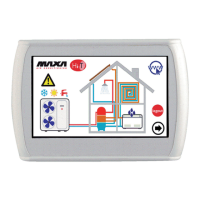
Inthehomepage,bypressingonthesymbolintheleft‐highside,showingHi‐T,itispossibletoseethecurrentfirmwareversion
installedinthetouch‐screen.
Incaseoffirmwareupdate,itispossibletomaketheupgradebymeansofanUSBkey,usingtheon‐boardUSBport.
Fortheupgrade:
‐ copytheupgradefileinthemainrootofaUSBpen‐drive;
‐ insertthepen‐driveintotheHi‐T
USBport;
‐ enterinto“Configurations‐>“User’smenu”(seeParagraph3.6.5.1);
‐ after having inserted the user’s password and entered into “User’s menu”, select the string which appears “Firmware
update”;
‐ thecontrollerautomaticallyrecognizesthefirmwarepresenceinsidetheUSBpen‐driveandstartstheupdatingprocedure;
‐
followtheinstructionsshownin thedisplayandextractthepen‐driveonlywhen requestedby themessage“Removethe
USBpen.Thepanelwillreboottofinishtheupdate”;
‐ waituntiltheupdatehascompleted.


 To Next Page
