Maxim Integrated Page 13 of 42
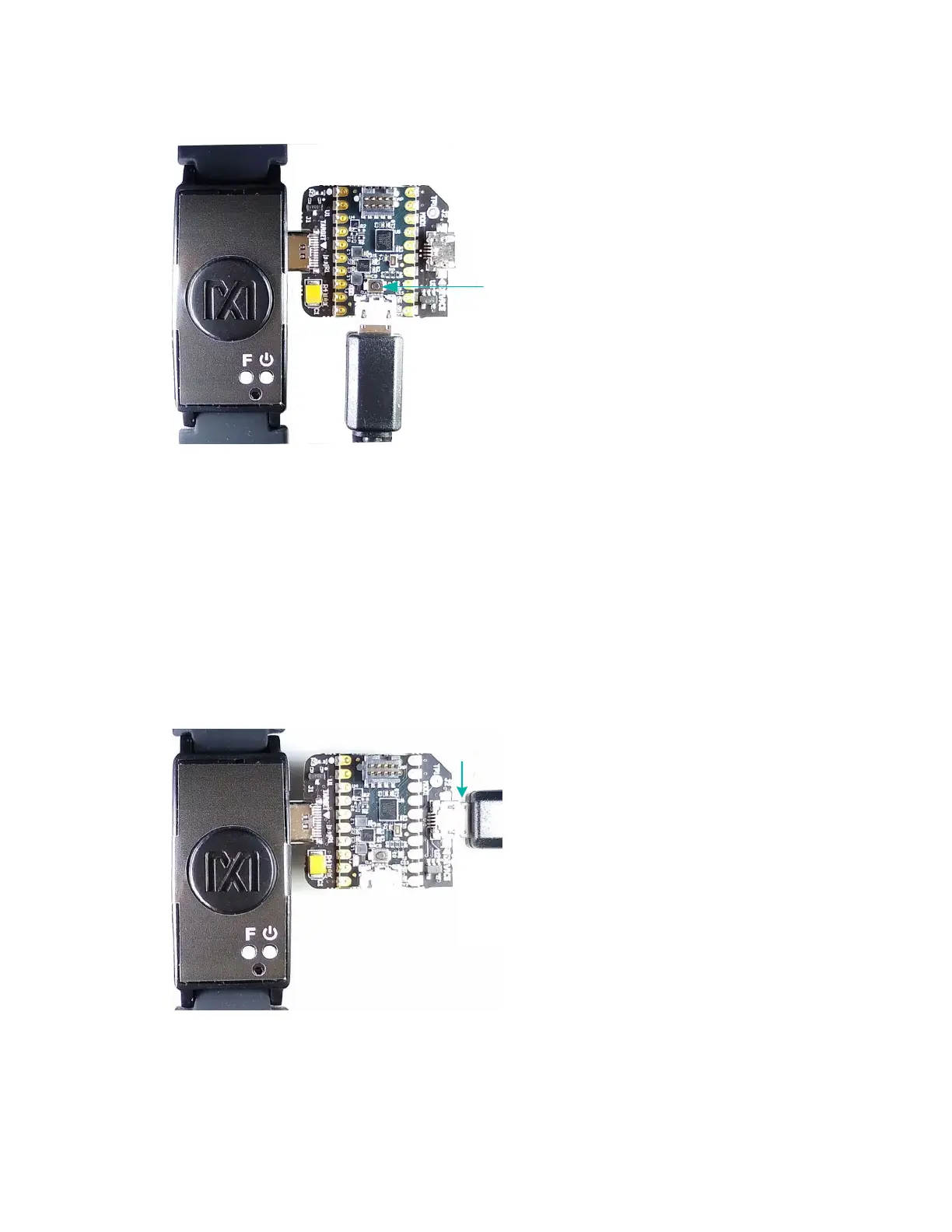
Figure 8. Reset button on the MAXDAP-TYPE-C Pico Adapter board.
Updating the MAX32664 Sensor Hub Algorithm Firmware (.msbl)
After the host firmware binary is updated to the micro board, the .msbl Biometric Sensor Hub
algorithm must be updated with the PC GUI by performing the following steps.
Note: The software package includes the latest .bin firmware, .msbl algorithm, and the
corresponding .msi Windows application. All three components must be updated to ensure
compatibility.
1. Open the Maxim DeviceStudio Windows application.
2. Connect the MAXDAP Pico Adapter board device port to the PC using the USB Micro-B
cable. Wait five seconds.
Figure 9. MAXDAP Pico Adapter board device port connected to the PC.
3. Select the Serial over USB/Bluetooth scan option, then click Scan.


 To Next Page