Maxim Integrated Page 22 of 42
Bluetooth LE Connection for Windows 10
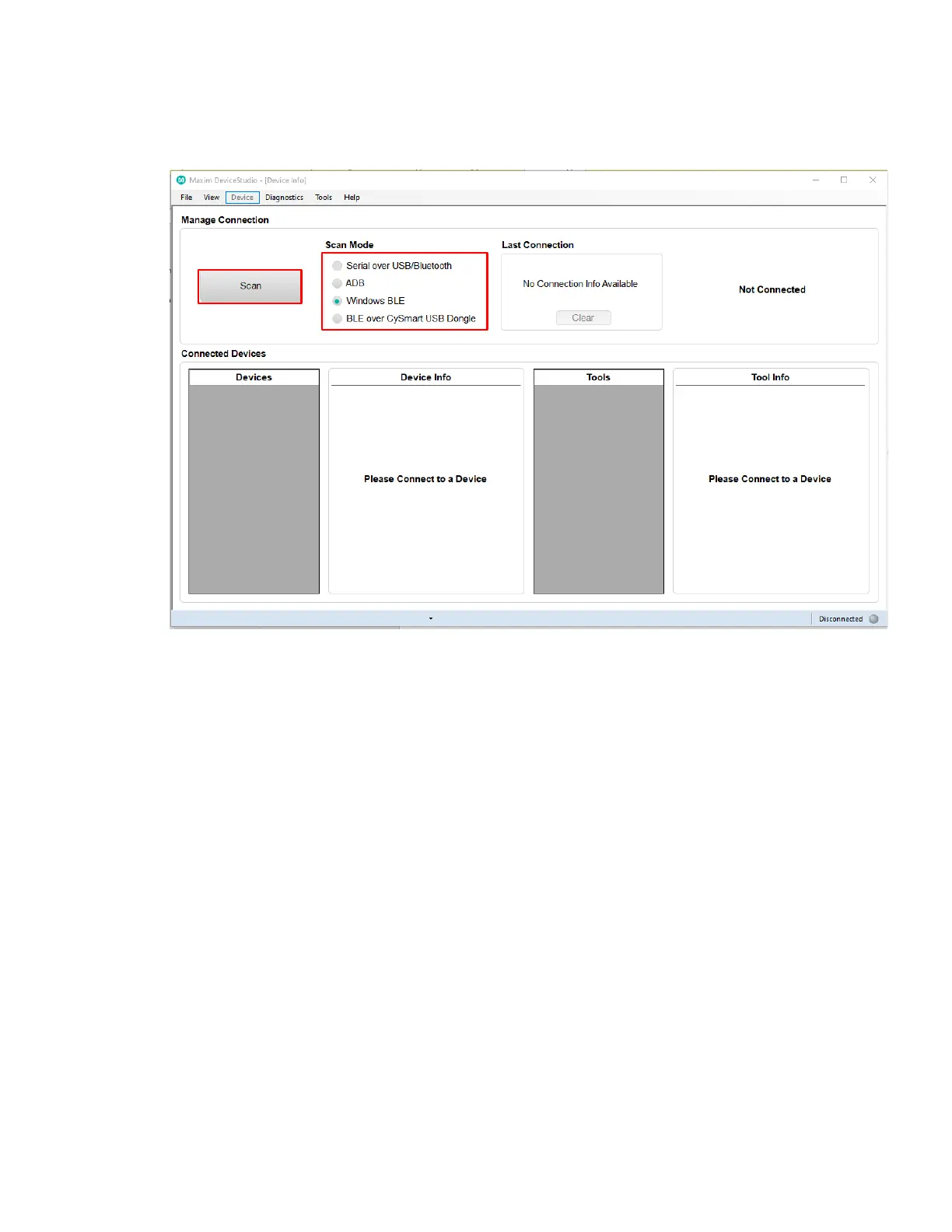
1. Under Scan Mode, select Windows BLE and click Scan.
Figure 24. Scan for available Windows BLE devices.
2. Select the health sensor device for pairing. (The highest signal strength in dBm will usually
be the closest health sensor device, and each MAXREFDES103# is labeled with the last
four digits of the MAC address). Click Connect.


 To Next Page