Maxim Integrated Page 24 of 42
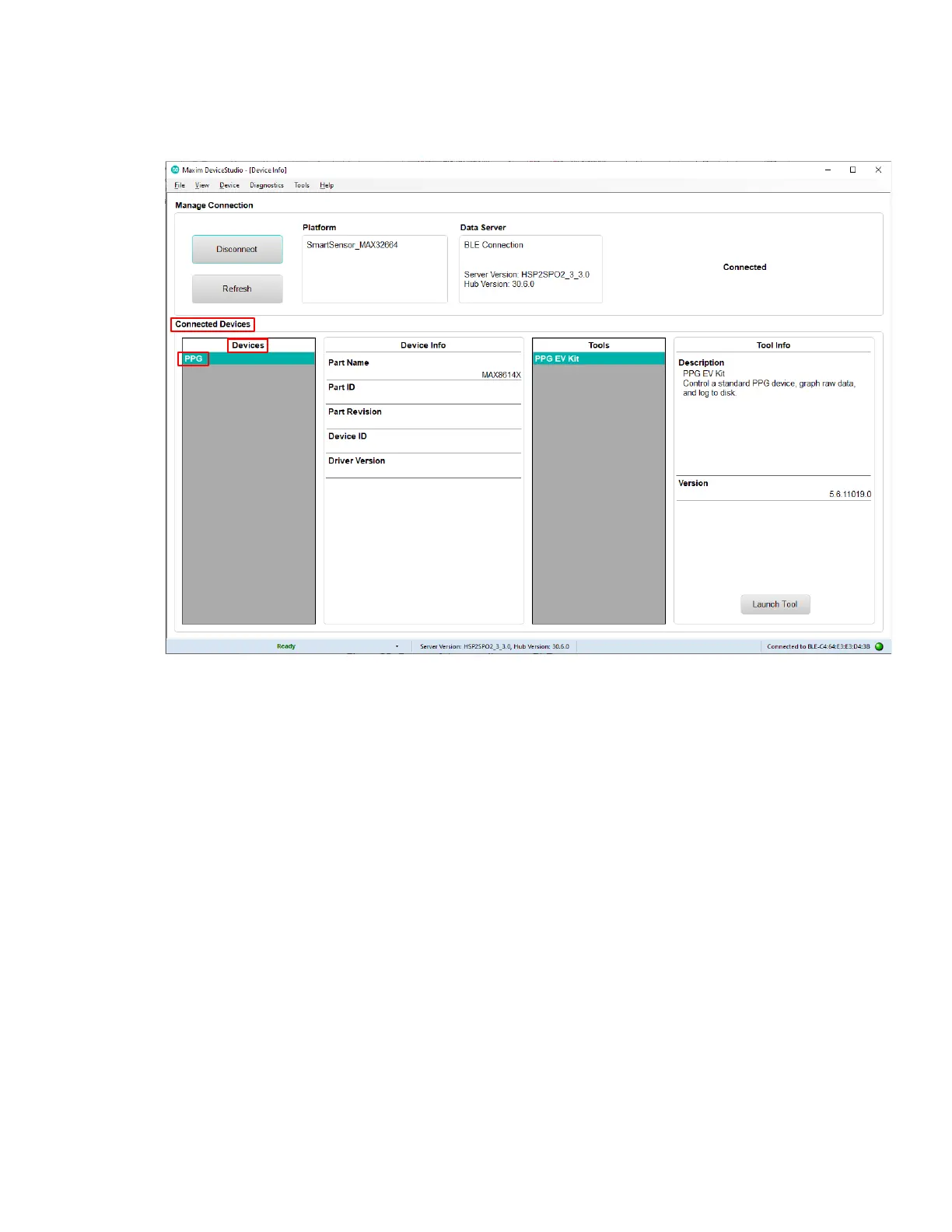
3. Verify that the Devices list under Connected Devices shows PPG.
Figure 26. Successful connection over Bluetooth LE.
Starting the PPG Measurement
1. Click Launch Tool.
2. Select Algorithm to allow the MAX32664 algorithm to dynamically adjust the AFE settings
and measure the heart rate and SpO
2
.
3. Select 0:Continuous HRM and SpO2 to configure the algorithm to run continuously.
4. Select SCD to enable skin contact detection.
5. Select AEC to enable automatic exposure control.
6. Click Default to configure the AEC to the default settings.
7. Select Accelerometer to plot the accelerometer data.
8. Select Algorithm Data to see the algorithm data: HR (bpm), HR confidence (%), RR peak
interval (R-to-R msec), RR Confidence, Activity, SpO
2
(%), SpO2 Confidence (%), R
Value, SpO2 % Completion (for one-shot), Low Signal Flag, Motion Flag, SpO
2
State, and
SCD State.
9. Select Log to File and Write Header to save the data to a file.
10. Click Start Monitoring to show the measurement data.


 To Next Page