Maxim Integrated Page 9 of 42
Button Functionality
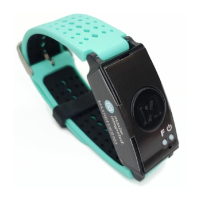
Table 1 describes the functionality of the two buttons.
Table 1. Button Functionality
Button Short Press Long Press (3s)
Power Button
Turn off/on status LED; to
power on, press for 1s
To power off, press and hold the
power button on the
MAXREFDES103# until the LED
status turns magenta and blinks fast
Power off
Button F
Start/stop data collection
(flash logging)
N/A N/A
Color Definitions for LED Status
Table 2 describes the state of the device for a given color and blinking status.
Table 2. Color Definitions for LED Status
LED Color Solid (No Blinking) Fast Blink Slow Blink
Red
Failure detected – needs
system reset
Communications with the
MAX32664 failed
Battery critically low
(<10%)
Green
USB connected (no data
streaming)
Streaming USB data
Device is ready (no USB
connection)
Blue Reserved Streaming Bluetooth LE data
(Bluetooth LE or BLE)
connected (no data
Magenta Reserved
To power off, press and hold
the power button on the
MAXREFDES103# until the
LED status turns magenta and
Reserved
Cyan Reserved Flash logging active
5 blinks indicate that
flash logging is complete
Yellow System is initializing
programming is complete, the
LED status flashes yellow for 2s
Battery low (10% to
25%)
White Reserved Reserved MSD mode
Off LEDs have been turned off N/A N/A


 To Next Page