Maxim Integrated Page 31 of 42
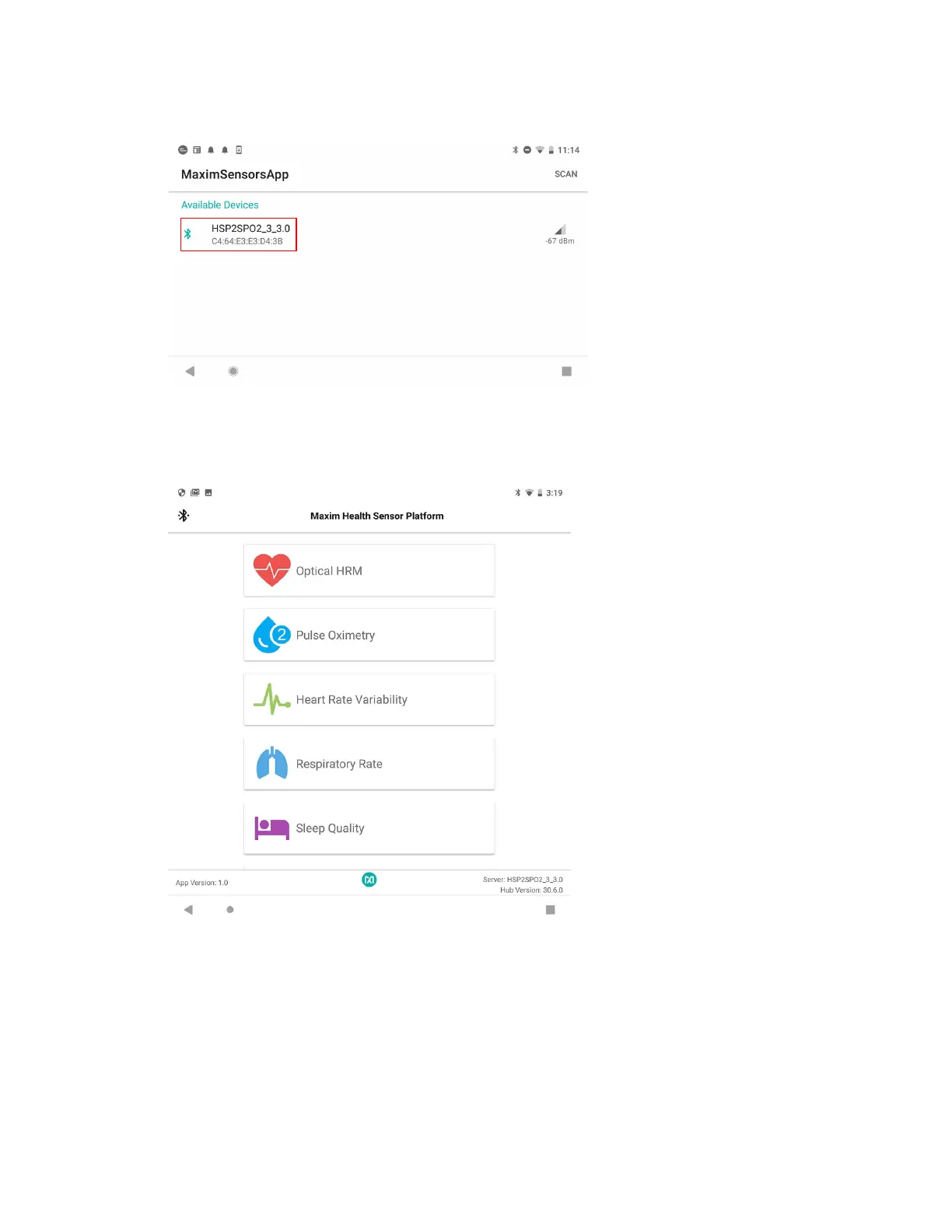
3. Click on the device named HSPSPO2….
Figure 36. Click on the device named HSPSP02….
The main menu is displayed.
Figure 37. Main menu of the Maxim Health Sensor Platform app.
Optical Heart-Rate Monitoring
1. In the main menu, click Optical HRM. The graphing of the green signal may be seen by
deselecting the IR and selecting the Green button. Click the play icon (START
MONITORING) in the upper right corner of the app to initiate the heart-rate measurement.


 To Next Page