Maxim Integrated Page 33 of 42
Pulse Oximetry
1. For SpO
2
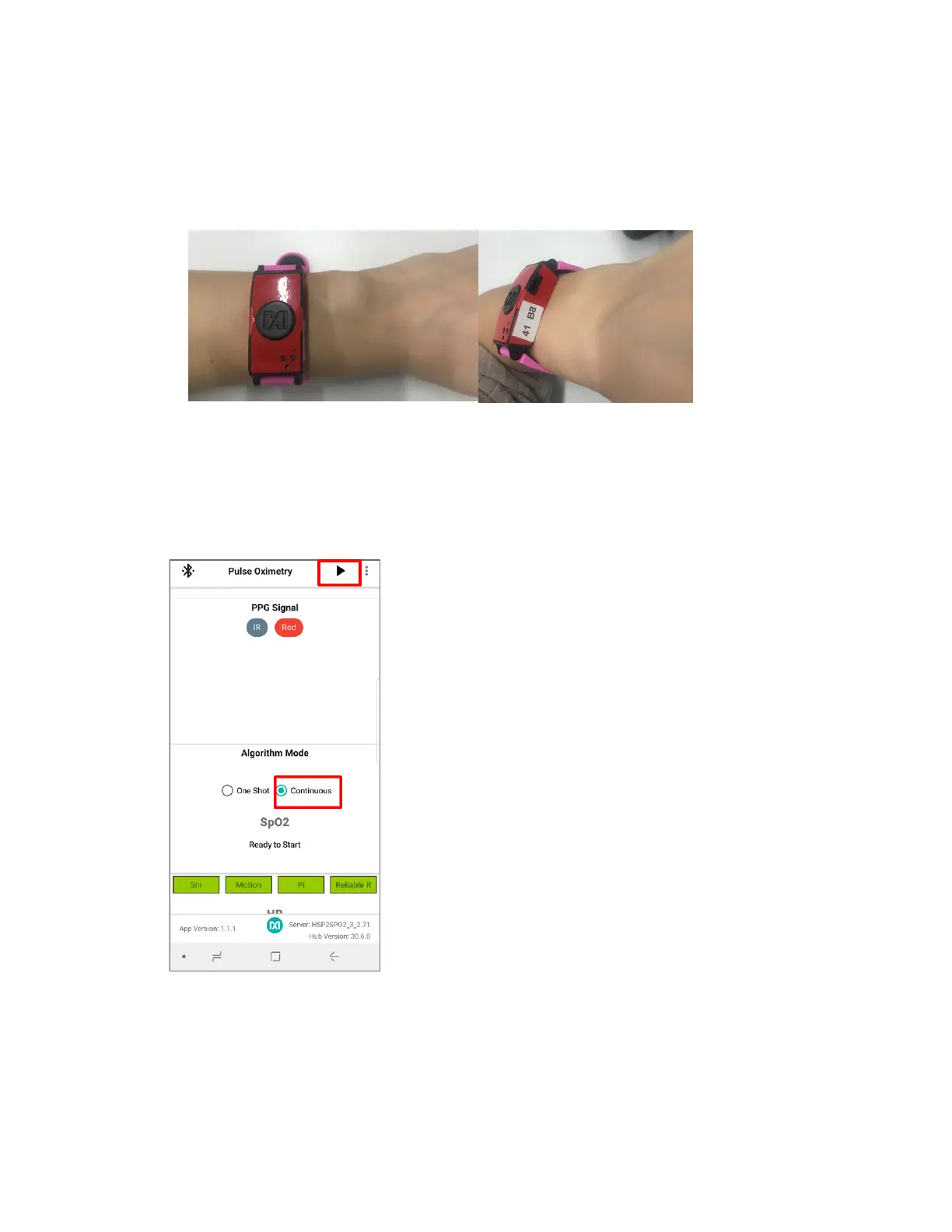
measurements, verify that the health sensor band is properly placed at about
two fingers away from the wrist bone as shown in Figure 40. Also, the strap tightness is
very important—there should be almost no gap between the device and the wrist when
the enclosure is lifted up slightly.
Figure 40. Positioning the health sensor band.
2. Click the back button of the Android device to go back to the main menu and click Pulse
Oximetry, then specify the mode of operation for the algorithm by selecting Continuous
or One Shot. Click the play icon to initiate the SpO
2
measurement. It is advisable to note
the date and time information for recognizing data log files generated by the Android app.
Figure 41. Start SpO
2
measurement.
3. The IR and Red signals are graphed if the IR and Red buttons have been selected. In
order to retrieve a valid SpO
2
reading, the signals should have peaks and valleys as
depicted in Figure 42. If the waveform is not correct, then the strap tightness or health
sensor enclosure position may need to be adjusted.


 To Next Page