Maxim Integrated Page 19 of 42
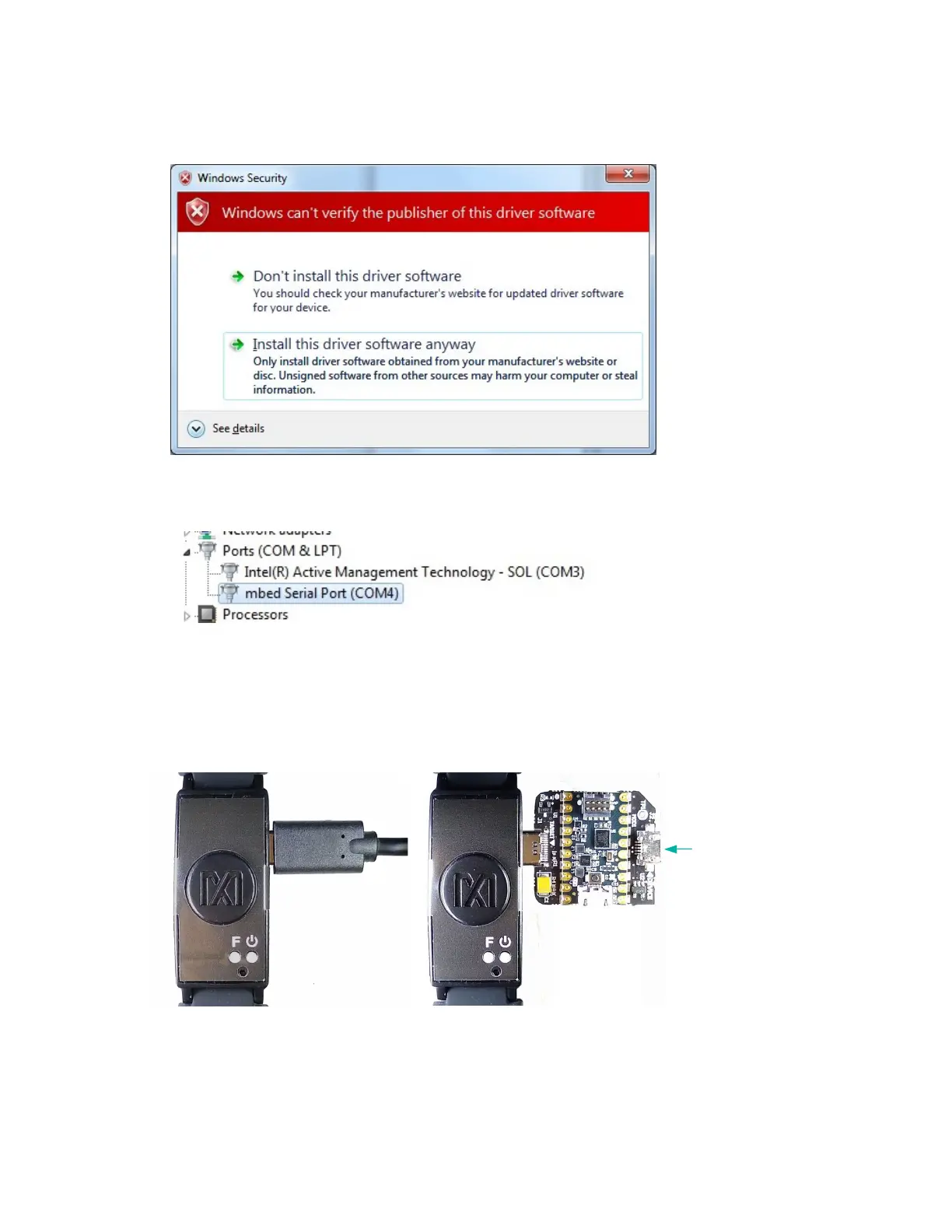
9. When prompted by the Windows Security window, click Install this driver software
anyway.
Figure 19. Select Install this driver software anyway.
10. After the driver is installed successfully, the MAXREFDES103# appears as an Mbed
®
Serial Port. (The COM port number used may be different from COM4.)
Figure 20. Mbed Serial Port in Device Manager.
USB Connection
1. Connect the health sensor band to the PC with a USB Type-C cable (or with the MAXDAP
Pico Adapter board using a USB Micro-B cable).
Figure 21. USB connection to PC using a USB Type-C cable (left) and MAXDAP Pico
Adapter board device port (right).
Mbed is a registered trademark of Arm Limited.


 To Next Page