Maxim Integrated Page 3 of 42
List of Figures
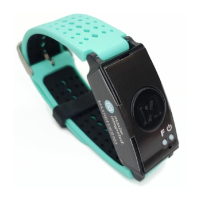
Figure 1. MAXREFDES103# wearable form factor in detail. ........................................................ 5
Figure 2. MAXREFDES103# system diagram. ............................................................................. 7
Figure 3. USB Type-C cable (left) and MAXDAP Pico Adapter board (right). .............................. 8
Figure 4. PPG measurement. ..................................................................................................... 10
Figure 5. Install the .msi file. ....................................................................................................... 11
Figure 6. MAXDAP Pico Adapter .bin firmware updates port connected to the PC. ................... 12
Figure 7. DAPLINK drive on the PC. ........................................................................................... 12
Figure 8. Reset button on the MAXDAP-TYPE-C Pico Adapter board. ...................................... 13
Figure 9. MAXDAP Pico Adapter board device port connected to the PC. ................................. 13
Figure 10. Maxim DeviceStudio scan options. ............................................................................ 14
Figure 11. Maxim DeviceStudio connected devices. .................................................................. 14
Figure 12. Device tab to update the MAX32664 .msbl. .............................................................. 15
Figure 13. Warning message. ..................................................................................................... 15
Figure 14. Upload the embedded heart-rate algorithm to the MAX32664. ................................. 16
Figure 15. .msbl file flashed successfully. ................................................................................... 16
Figure 16. CDC DEVICE in Device Manager. ............................................................................. 17
Figure 17. Locate and install the driver manually. ...................................................................... 18
Figure 18. Browse to the extracted release package. ................................................................. 18
Figure 19. Select Install this driver software anyway. ................................................................. 19
Figure 20. Mbed Serial Port in Device Manager. ........................................................................ 19
Figure 21. USB connection to PC using a USB Type-C cable (left) and MAXDAP Pico Adapter
board device port (right). ............................................................................................................. 19
Figure 22. Scan for available devices. ........................................................................................ 20
Figure 23. Successful connection over USB. .............................................................................. 21
Figure 24. Scan for available Windows BLE devices. ................................................................. 22
Figure 25. Bluetooth LE device selection. ................................................................................... 23
Figure 26. Successful connection over Bluetooth LE. ................................................................ 24
Figure 27. Configure for Algorithm mode. ................................................................................... 25
Figure 28. Measurement data displayed. .................................................................................... 25


 To Next Page