Setup
Connections
EPOS4 Disk 60/12 Hardware Reference
CCMC | 2022-05 | rel10685
3-47
3.3.12 EtherCAT IN (X14; X14a) & EtherCAT OUT (X15; X15a)
The Disk EtherCAT features two NET connectors for EtherCAT. One serves for NET input, the other for
NET output. Both sockets are identical in respect to their external wiring.
Wrong plugging may cause hardware damage
Even though both NET sockets are prepared for identical external wiring, make sure to always connect
them as follows.
• Use IN (X14 or X14a) as «Input».
• Use OUT (X15 or X15a) as «Output».
For detailed information see separate document
«EPOS4 Communication Guide».
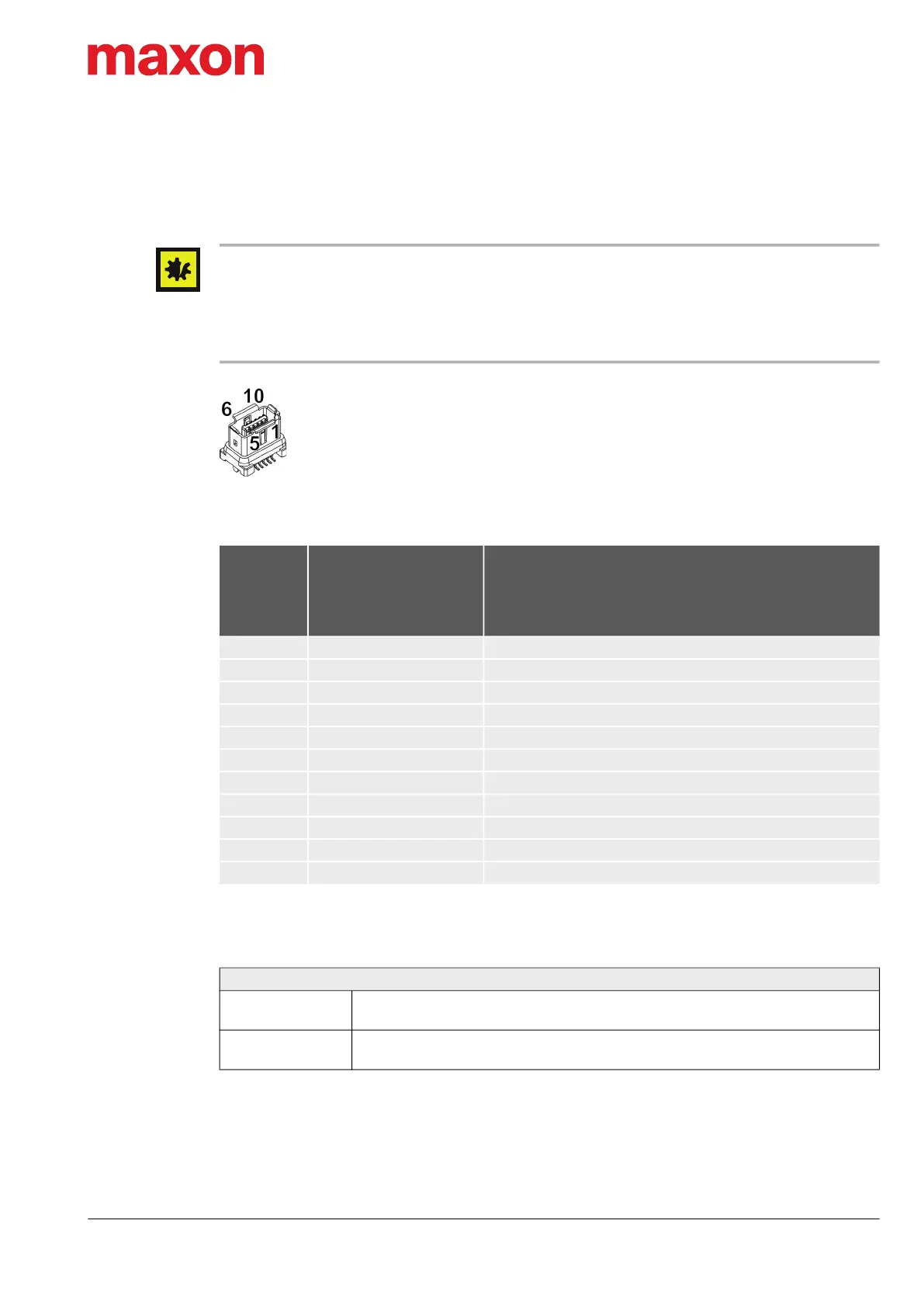
Figure 3-36 EtherCAT IN connector X14 or X14a / EtherCAT OUT connector X15 or X15a
Table 3-53 EtherCAT IN connector X14 or X14a / EtherCAT OUT connector X15 or X15a – Pin assign-
ment
Table 3-54 EtherCAT IN connector X14 or X14a / EtherCAT OUT connector X15 or X15a – Specifica-
tions
X14
X14a
X15
X15a
Pin
Signal Description
1 TX+ Transmission Data+
2 TX− Transmission Data−
3 — not connected
4 — not connected
5 — not connected
6 RX+ Receive Data+
7 RX− Receive Data−
8 — not connected
9 — not connected
10 — not connected
— Shield Cable shield
Connector X14; X14a; X15; X15a
Suitable cables
EtherCAT-EtherCAT Cable on page 3-54
EtherCAT-COM Cable on page 3-54
Suitable plug
maxon (748166) (Table 3-11) or
HARTING (09 45 181 2562 XL) or Hirose (IX31G-A-10S-CV(7.0))
X14
X14a
X15
X15a


 To Next Page