Delay Start Oven Cooking Example:
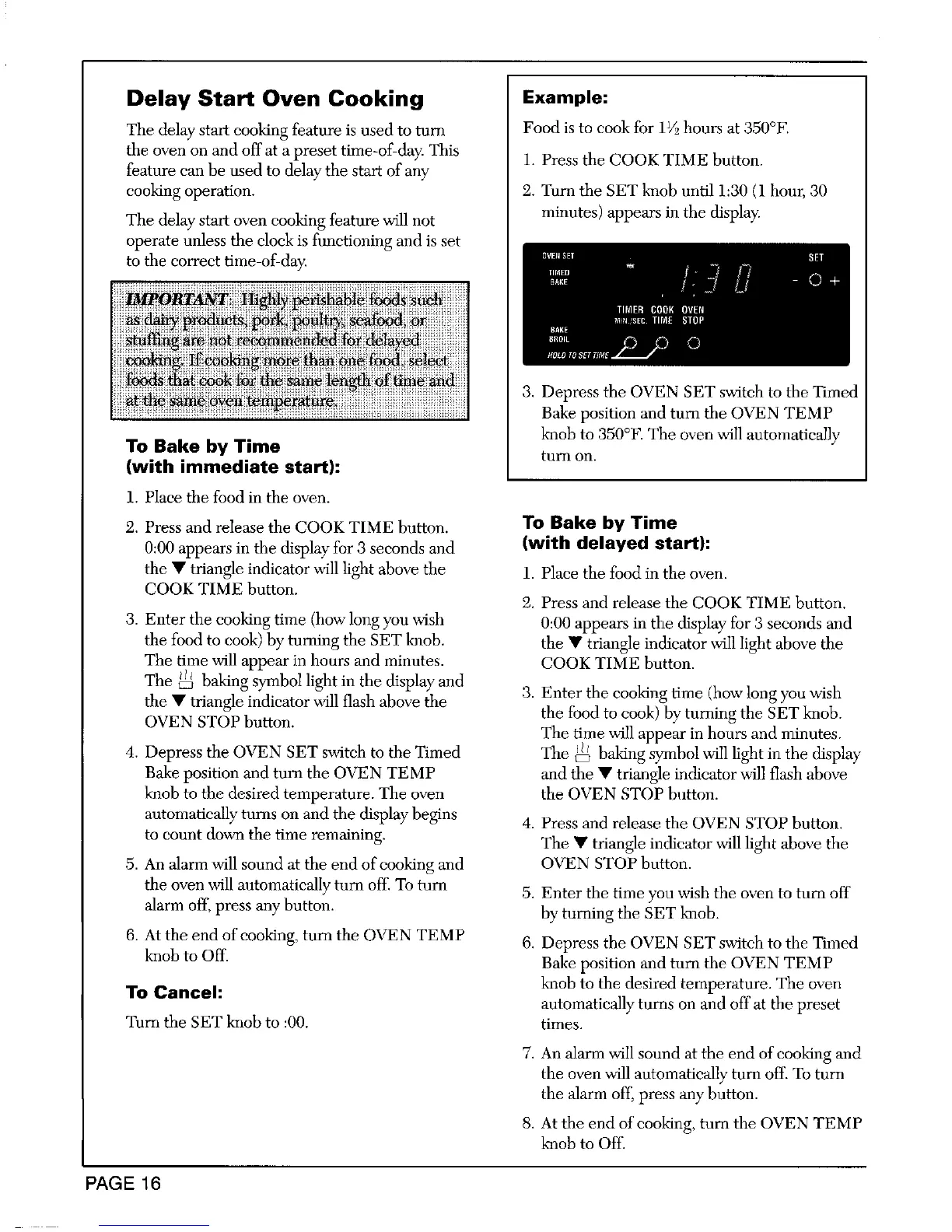
Tile delay start cooking feature is used to turn Food is to cook for 11_hours at 350°F.
the oven on and off at a preset time-of-day. This 1. Press the COOK TIME button.
feature ean be used to delay the start of any
eooking operation. 2. Turn the SET knob until i:30 (1 hour, 30
The delay start oven cooking feature will not minutes) appears in the display.
operate unless the clock is fimctioniug and is set
to the eorrect time-of-day.
OVEBSET SET
TINED
BA,E - O +
TIMER COOK OVEN
M}N 'SEC TIME STOP
BAKE
3. Depress the OVEN SET switch to the Timed
Bake position and turn the OVEN TEMP
knob to 350°F. The oven will automatically
To Bake by Time turn on.
(with immediate start):
1. Placethe food in the oven.
2. Press and release the COOK TIME button. To Bake by Time
0:00 appears in the display for 3 seconds and (with delayed start):
the • triangle indieator will light above the 1. Place the food in the oven.
COOK TIME button.
2. Press and release the COOK TIME button.
3. Enter the cooking time (how long you wish 0:00 appears in the display for 3 seconds and
the food to cook) by turning the SET knob. the • triangle indicator will light above the
The time will appear in hours and minutes. COOK TIME button.
The _ baking symbol light in the display and
the • triangle indicator will flash above the 3. Enter the cooking time (how long you wish
OVEN STOP button, the food to cook) by turning the SET knob.
The time will appear in hours and minutes.
4. Depress the OVEN SET switch to the Timed The _ baking symbol will light in the display
Bake position and turn the OVEN TEMP and the • triangle indicator will flash above
knob to the desired temperature. The oven the OVEN STOP button.
automatically turns on and the display begins 4. Press and release the OVEN STOP button.
to count down the time remaining. The • triangle indicator will light above the
5. An alarm will sound at the end of cooking and OVEN STOP button.
the oven will automatically turn off. To turn 5. Enter the time you wish the oven to turn off
alarm off, press any button, by turning the SET knob.
6. At the end of cooking, turn the OVEN TEMP 6. Depress the OVEN SET switeh to the Timed
knob to Off. Bake position and turn the OVEN TEMP
To Cancel: knob to the desired temperature. The oven
automatically turns on and off at the preset
Turn the SET knob to :00. times.
7. An alarm will sound at the end of cooking and
the oven will automatieally turn off. To turn
the alarm off, press any button.
8. At the end of cooking, turn the OVEN TEMP
knob to Off.
PAGE 16



 To Next Page