RANGE CONTROL PANEL
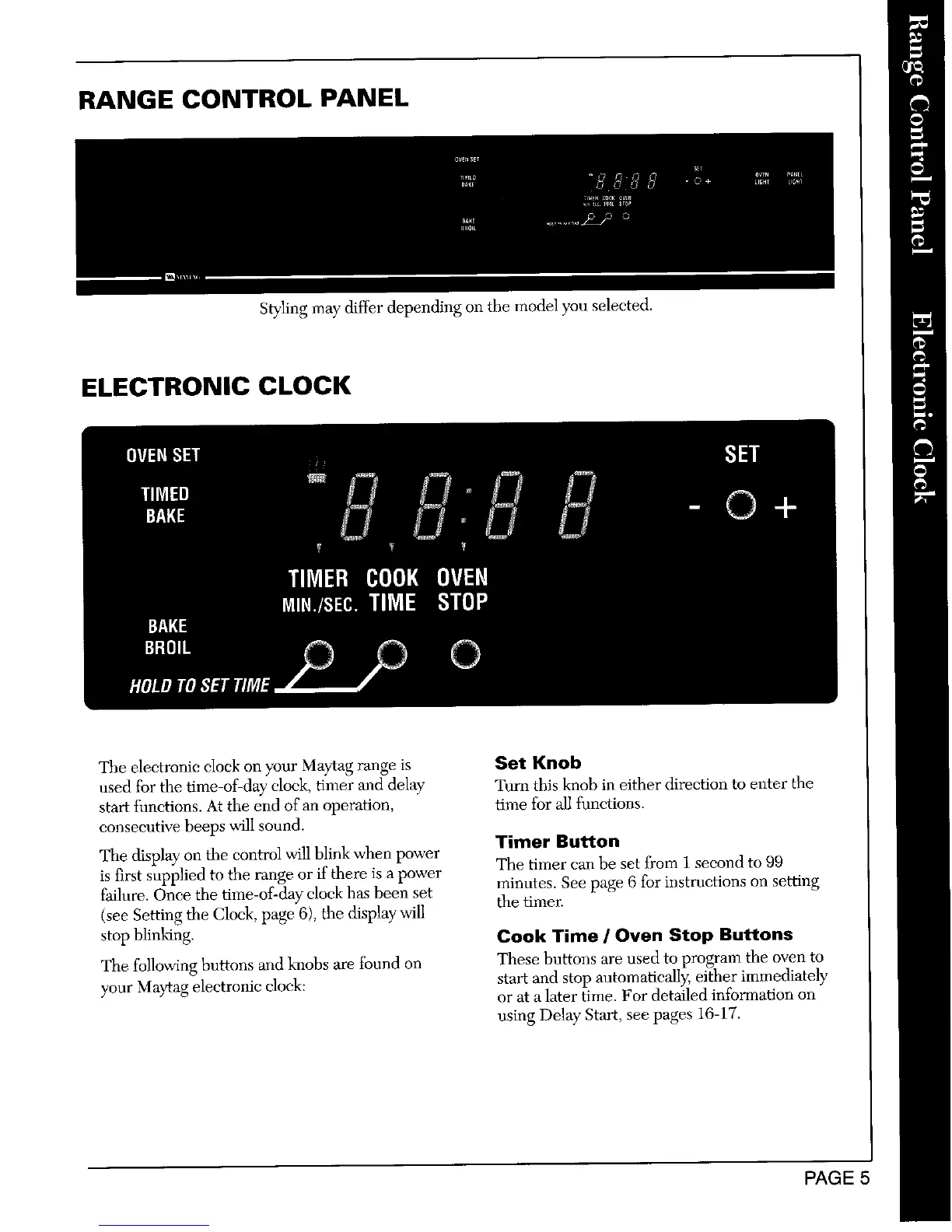
styling may differ depending on the model you selected.
ELECTRONIC CLOCK
OVENSET SET
TIMED
BAKE © +
TIMER COOKOVEN
MIN./SEC.TIME STOP
BAKE
BROIL
The electronic clock on your Maytag range is Set Knob
used for the time-of-day clock, timer and delay" Tunl this knob in either direction to enter the
start functions. At the end of an operation, time for all functions.
consecutive beeps wilI sound.
Timer Button
The display on the control will blink when power The tinter can be set from 1 second to 99
is first supplied to the range or if there is a power
failure. Once the time-of-day clock has been set minutes. See page 6 for instructions on setting
the timer.
(see Setting the Clock, page 6), the display will
stop blinking. Cook Time / Oven Stop Buttons
The following buttons and knobs are found on These buttons are used to program the oven to
your Maytag electronic clock: start and stop automatically, either immediately
or at a later time. For detailed information on
using Delay Start, see pages 16-17.
PAGE 5



 To Next Page