18
Initialization Menu
Initialization Menu allows you to choose standard default program
settings for your application.
1. Make sure power is ON and no program is running.
2. “Select Cycle” is displayed.
3. Enter SETUP MODE. The Main Menu will be displayed.
4. The Initialization Menu is the first menu.
5. Press ENTER .
6. Press 5 or 6 to select the desired menu item.
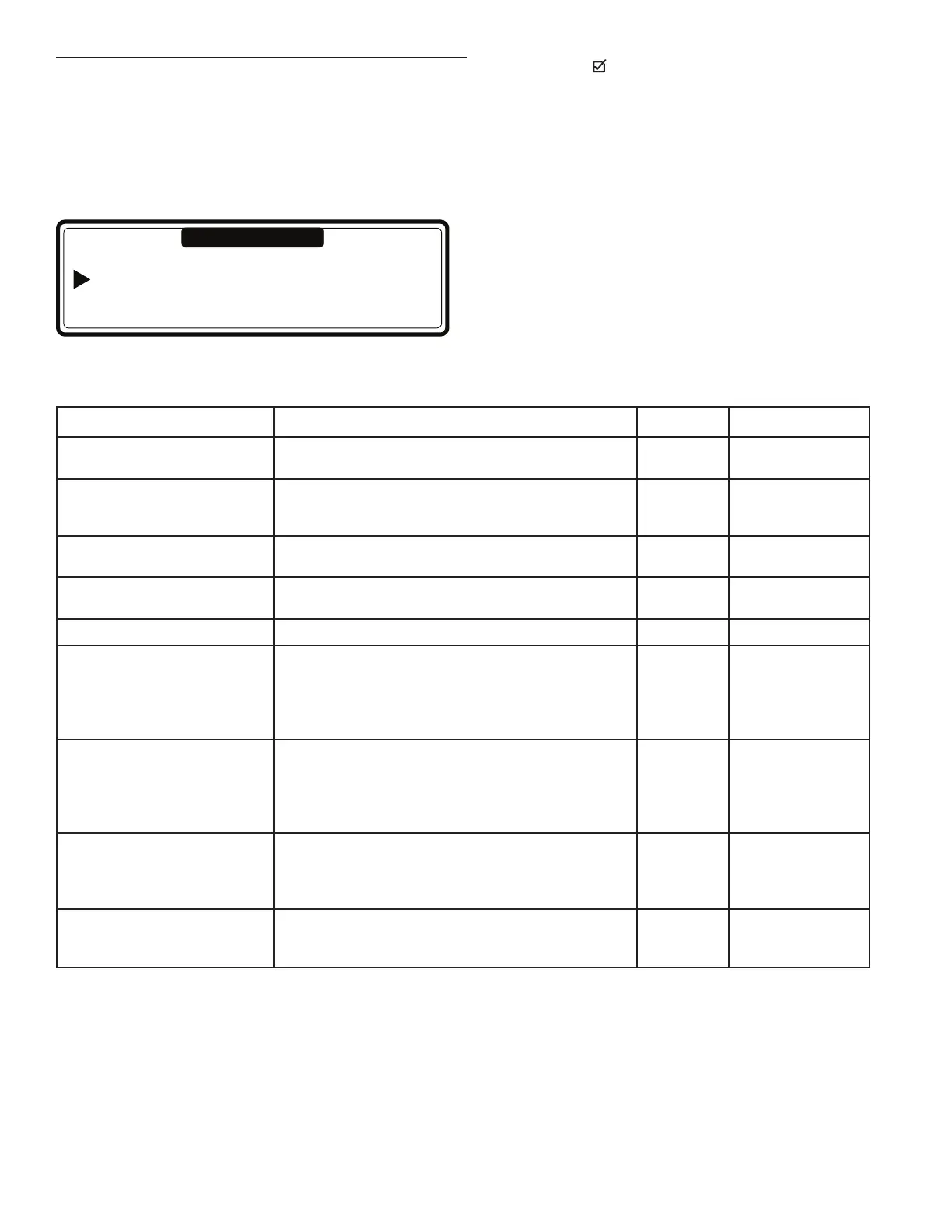
Initialization …
Program … Configuration …
Service …Advanced …
Main Menu
Menu Item Description Default Range
Language Language selection for Program Mode: English,
Spanish, French, etc.
English List
Service Interval Number of cycles at which maintenance is required.
3000: Top Soap Dispenser washers
9999: Servicing interval is ignored
3000 1–9999
Buzzer Time The time the Buzzer beeps at end of wash cycle while
“Unload” is displayed.
5 sec 0–99
Allow Advance The Advance function allows the user to skip a
sequence or change sequence duration.
Yes No/Yes
Automatic Cool Down Automatic cool down selection*. Yes No/Yes
Wait for Temperature Wash Process time is put on hold until the programmed
temperature is reached. Once the temperature has been
reached, the wash cycle time will decrease.
NOTE: For models without internal heating, the setting
must be changed to “No” for proper washer functioning.
Yes No/Yes
Manual Override Activates the Special Function keys on the touch pad.
The operator can directly operate the water inlet, drain,
heating, and spin speed functions.
NOTE: It is not possible to manually direct the washer
to perform an unsafe sequence of functions.
Yes No/Yes
Temperature Balance The correct water temperature for the water fill process is
obtained by switching the cold and hot water inlet valves.
NOTE: For proper wash cycle temperatures, the setting
must be changed to “Yes.”
No No/Yes
Motor On Time Normal wash action, drum turns for 12 seconds.
Recommended 3 sec for Gentle wash action.
(= suggested values for the Program Menu)
12 sec 1–99 sec
*Automatic Cool Down
n To avoid mechanical temperature shock and to extend the lifetime of your washer, after a hot wash, cold water is injected bit by bit.
As a result at the end of the hot wash, the temperature will be lowered to about 65°C (150°F).
n The automatic cool down function will only be functional if a hot wash with a temperature above 65°C (150°F) has been
programmed and if a cold water inlet valve is programmed in the next step. When a Cool down sequence has been programmed,
the automatic cool down will not function.
n The automatic cool down differs from a normal cool down sequence. The purpose of a normal cool down sequence is to avoid
the shrinking of the garments. (Takes more time).
Initialization Menu Selections and Defaults


 To Next Page