4
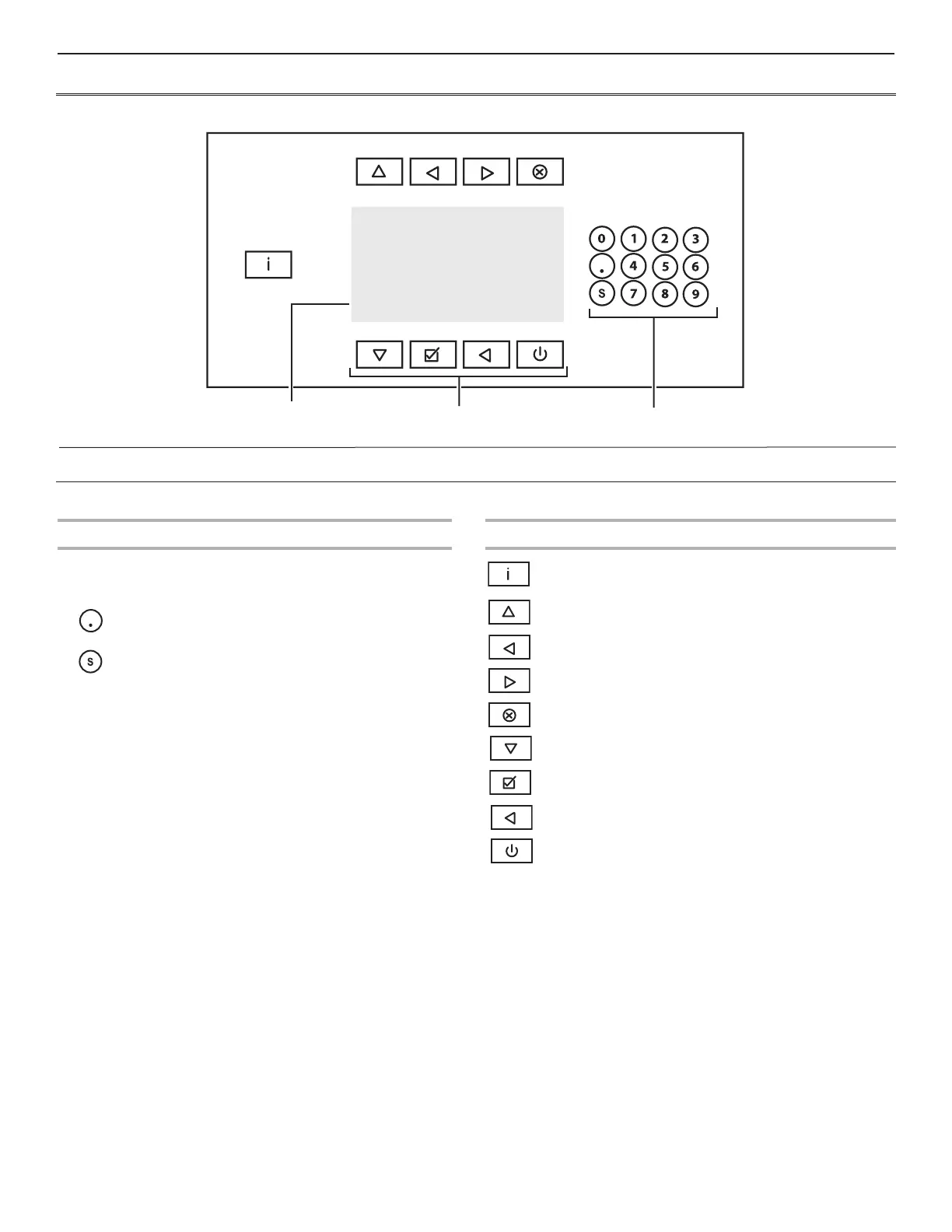
CONTROL PANEL
KEYPADS
Operation Keypads
Program number selection keypads
Delays the start – the selected program will begin
running once the “start” button is pressed.
Servicing information
Program Keypads
Information – overview of available wash programs and
program information
Toggles up.
Selection “NO”. Decreases time during cycle.
Selection “YES”. Increases time during cycle.
Stops the program currently running.
Toggles down.
Confirms the selection.
Cancels the selection.
Starts the washer, advances to next selection.
Control Panel Overview
SELECT CYCLE
LCD Display
Operation
Keypads
Program
Keypads
1 2 3 4 5
6 7 8 9 0


 To Next Page