MBIT Technologies
*
www.mbit.com.au 26
6.11 Factory Default
There two ways to make factory default: in menu and using website.
In menu:
Press button and choose 17 factory Default, then a notice will appear, press the ok softkey
button to continue.
Using Website:
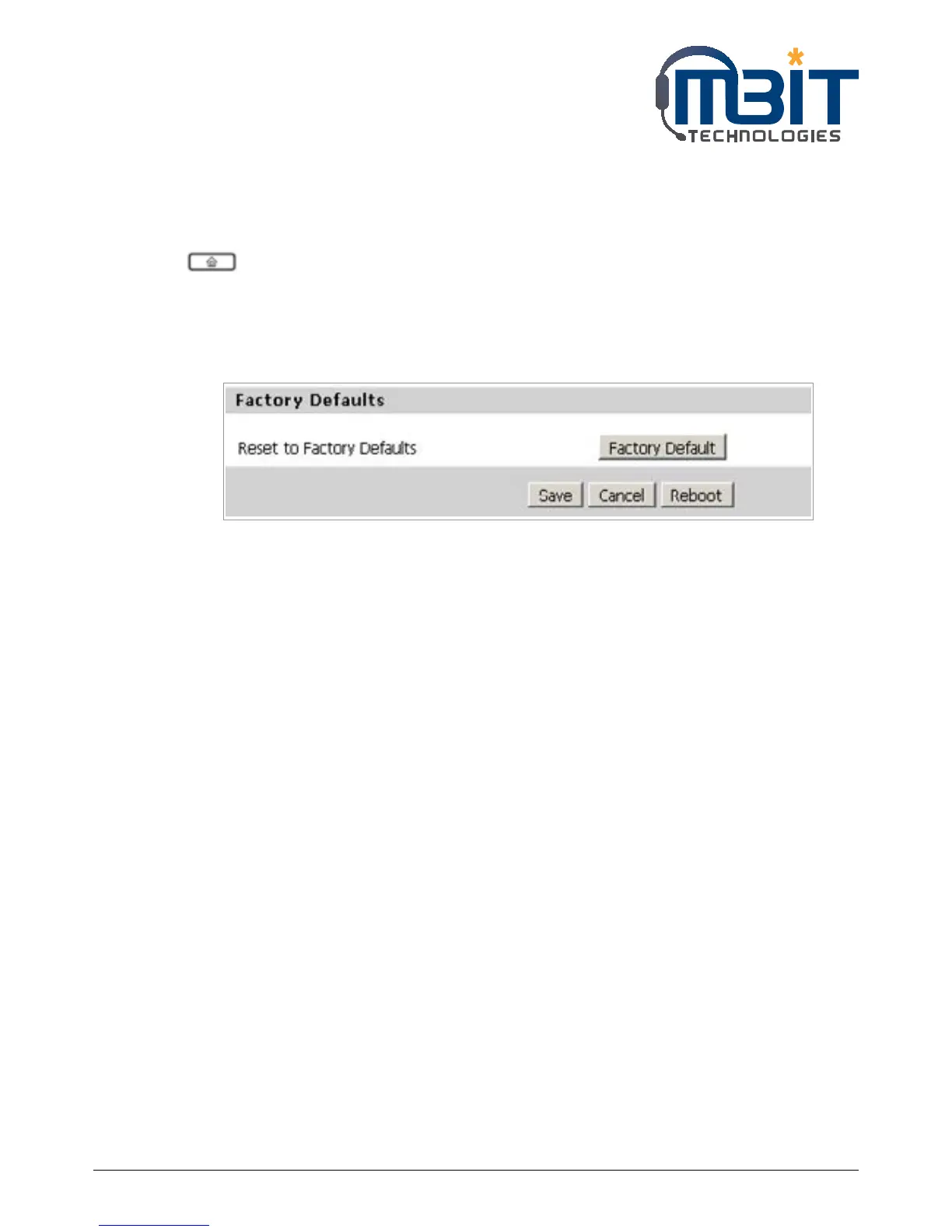
Step 1: Access to website, open Administration/Management webpage;
Step 2: Press the factory default button at the bottom of the webpage;
Step 3: Waiting about 5 seconds, the red notice Please REBOOT to make the changes effective! will
appear, and then press Reboot button to reboot bb100.
Note: If you choose factory default, you will return the phone to the original factory settings
and will erase all current settings, including the directory and call logs.


 To Next Page