MBIT Technologies
*
www.mbit.com.au 50
7.8 Administration
Use can manage the bb100 in these six webpage; you can configuration the Time/Date, password, web
access, system log and so on.
7.8.1 Management
You can configuration the value of Time/Date, password, web access, and system log and so on.
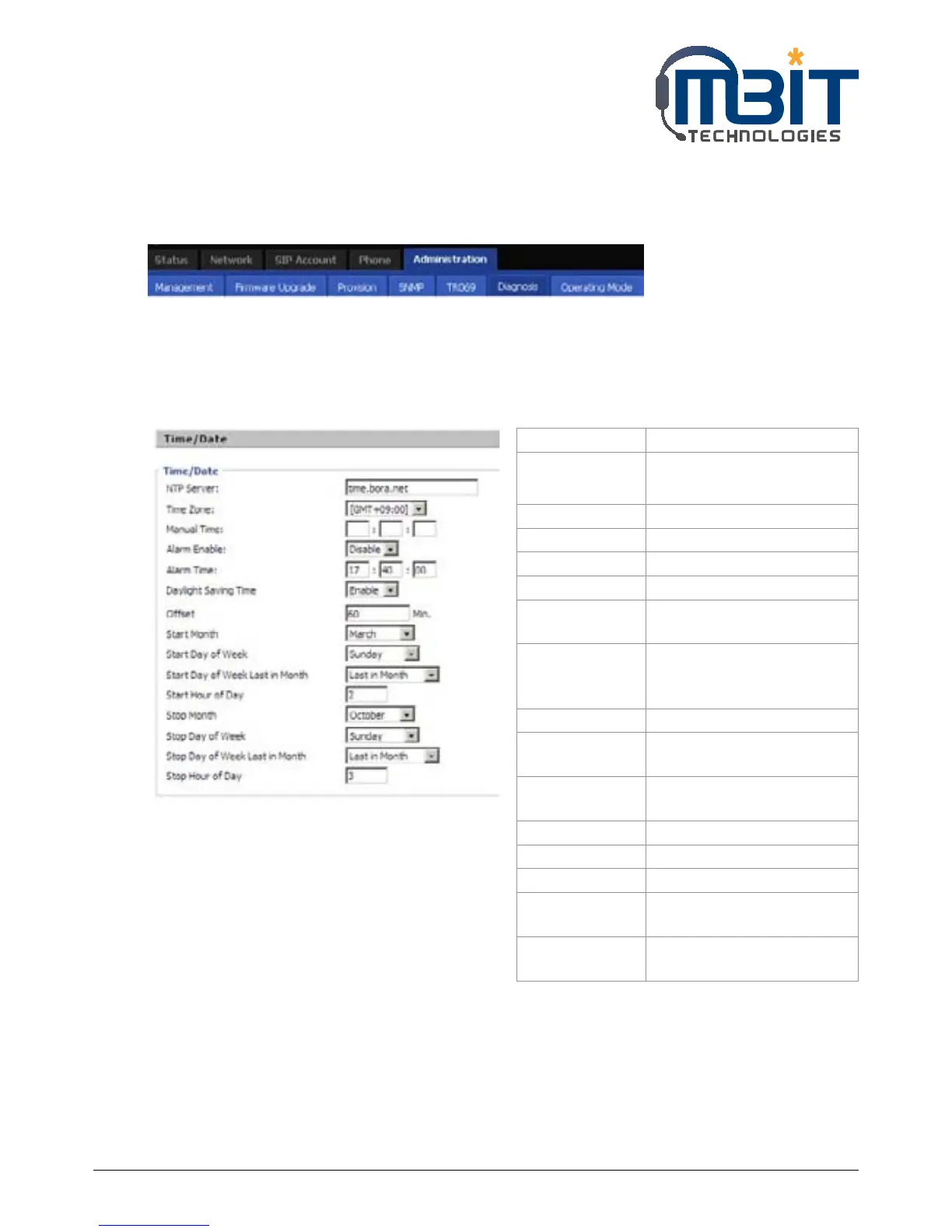
7.8.1.1 Time/Date
Field Name Description
NTP Server Fill in the NTP server IP
address or Domain name
Time Zone Choose the time zone
Manual Time Adjust time by manual
Alarm Enable If or not enable alarm
Alarm Time Set alarm time
Daylight Saving
Time
If or not enable daylight
saving time.
Offset Offset time, “-60” means
advancing 60miniter, “60”
means delaying 60minite
Start Month Choose starting month
Start Day of
Week
Choose starting day
Start Day of Week
Last in Month
Choose starting week
Start Hour of Day Choose starting hour
Stop Month Choose stopping month
Stop Day of Week Choose stopping day
Stop Day of Week
Last in Month
Choose stopping week
Stop Hour of Day Choose stopping the function
hour



 To Next Page