3.3 Keyboard operation
3.3.1 Home screen
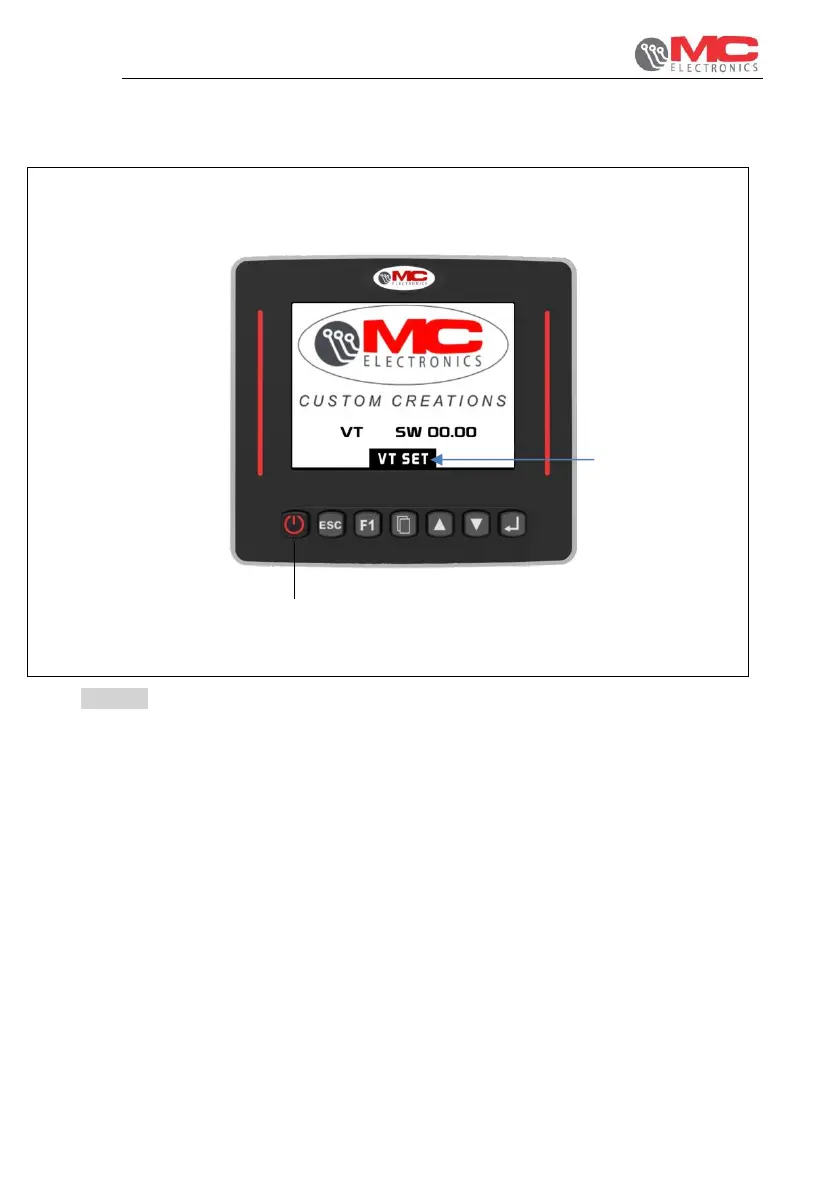
Figure 8
When switched on during the initial phase, the following screen appears, showing the
software version of the Virtual Terminal.
1. VT SET: pressing the menu key when the system is starting up displays the
Virtual Terminal management menu.
2. ON/OFF: system switch-on and switch-off.


 To Next Page