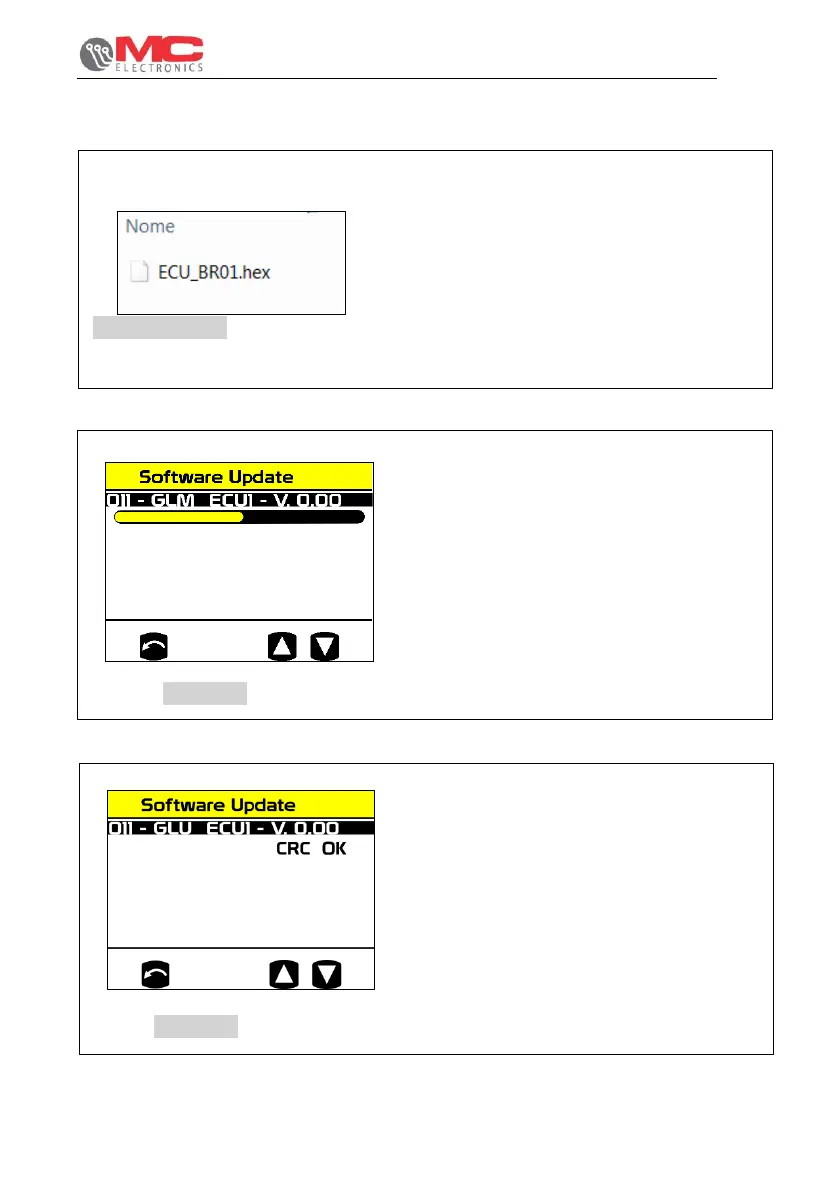
1) Insert the file GLM_ECU1.hex in the SD
board in the GLM kit. Keep in mind that
at this point, there must be no other files.
Figure 25
Figure 20
2) With the Virtual Terminal on, we should
be able to access the diagnostics menu
as shown earlier and insert the SD card
in the slot. Then select “Software
Update” to display a screen as shown in
the figure 26.
Figure 26
3) Press ENTER to start the update; a
loading bar like the one shown to the
side will be displayed. Wait for the bar to
load completely. Then turn off the VT
and turn it back on again.
Figure 27


 To Next Page