4. Programming
To go to the VT settings just go to the main screen and hold down the menu key for 2
seconds.
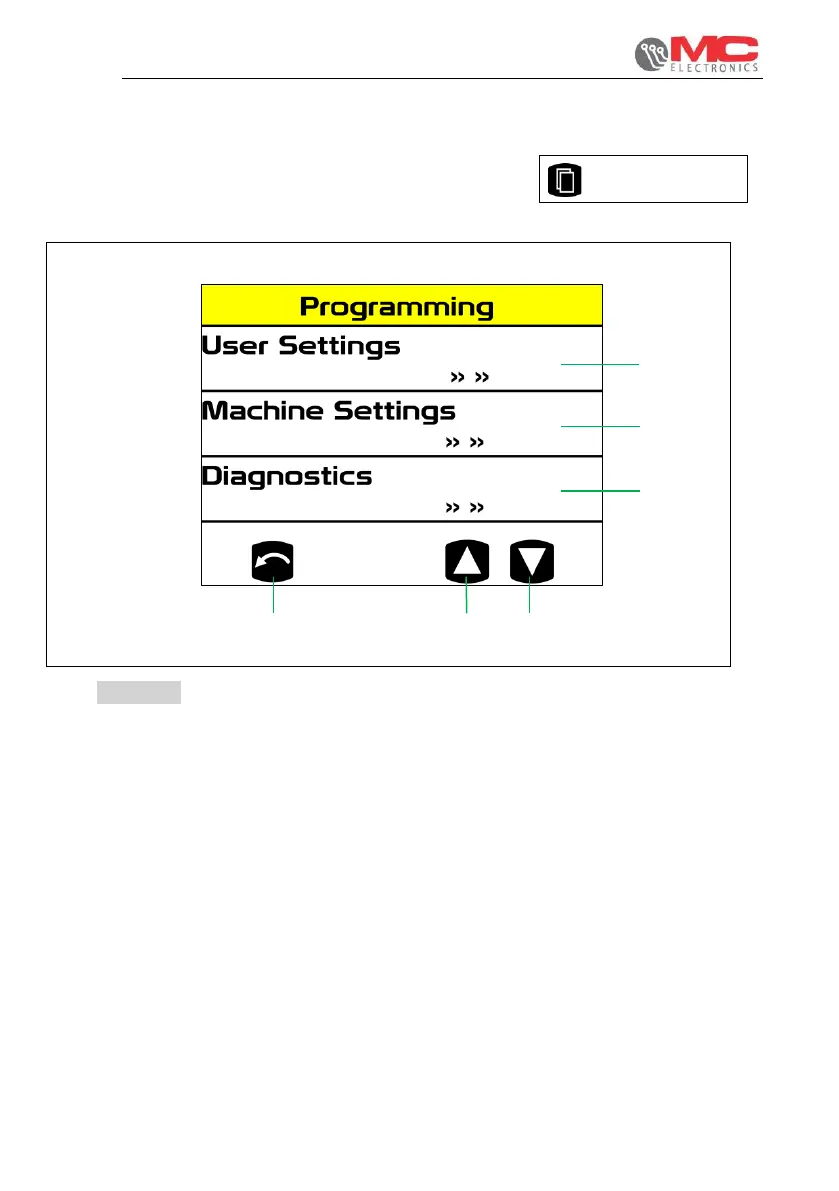
The following screen will appear:
Figure 13
1. User settings: the screens of the "user setting" sub-menu allow the user to change
the settings necessary for the work to be carried out.
2. Machine settings: the screens contained in this sub-menu are protected by a
password that must be entered on a screen that appears when said screens open.
Once the password has been entered correctly, you can go to required to adapt the
system to the machine on which it is installed.
3. Diagnostics: the screens of the "diagnostics" sub-menu will allow the operator to run
diagnostics.
4. DOWN: decreases the selected value.
5. UP: increases the selected value.
6. RETURN: back to the main screen.


 To Next Page