5.1 Speed sensor calibration
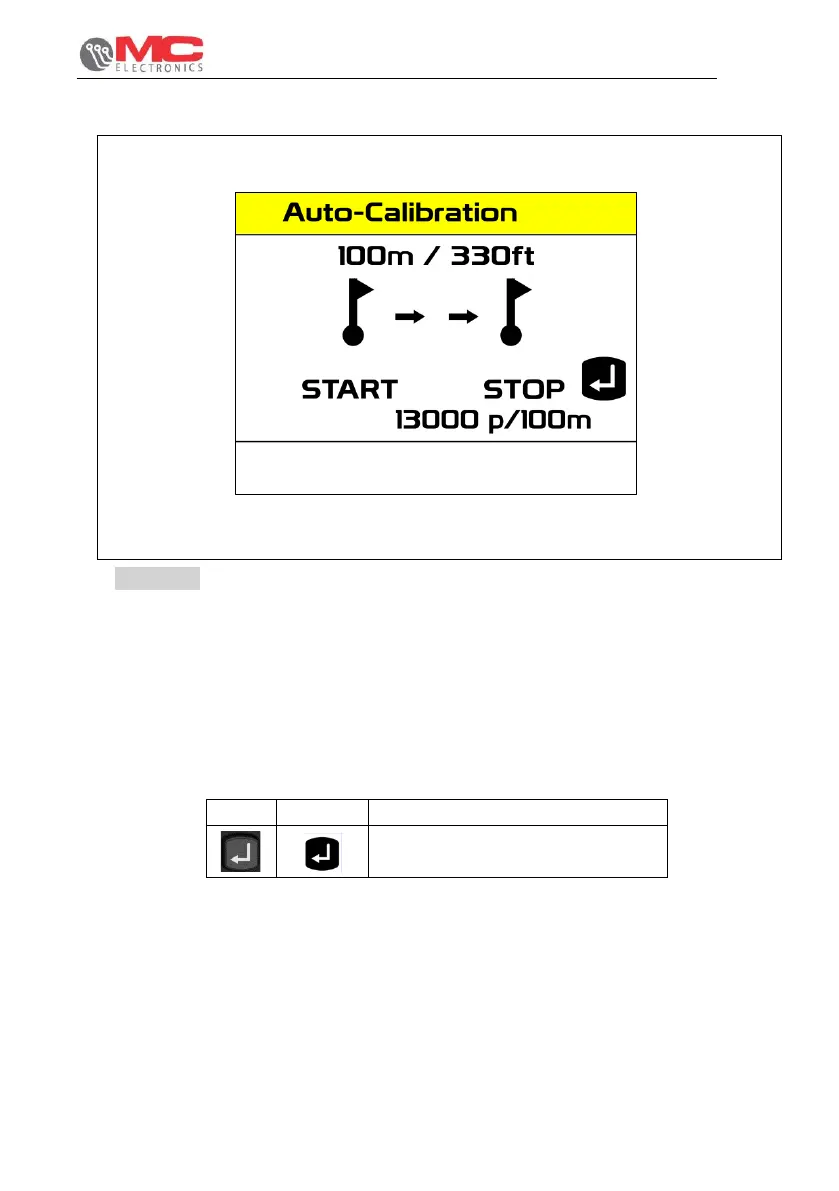
Figure 16
Follow the steps below to perform the automatic speed sensor calibration procedure:
Programming > User Settings > Calibration Value and then press the F1 key. The steps
to obtain proper calibration are as follows:
1. Set 2 indicators on the ground at a distance of 100 metres from each other.
2. Take the tractor to the previously marked first reference point and press the ENTER
key to start measuring.
3. Move forwards with the tractor to the second point marked and press ENTER again to
stop measuring, as in point 2.
4. If the calibration procedure continues with no errors, the pulses accumulated on a 100
metre base will be displayed in the row under the words START - STOP.


 To Next Page