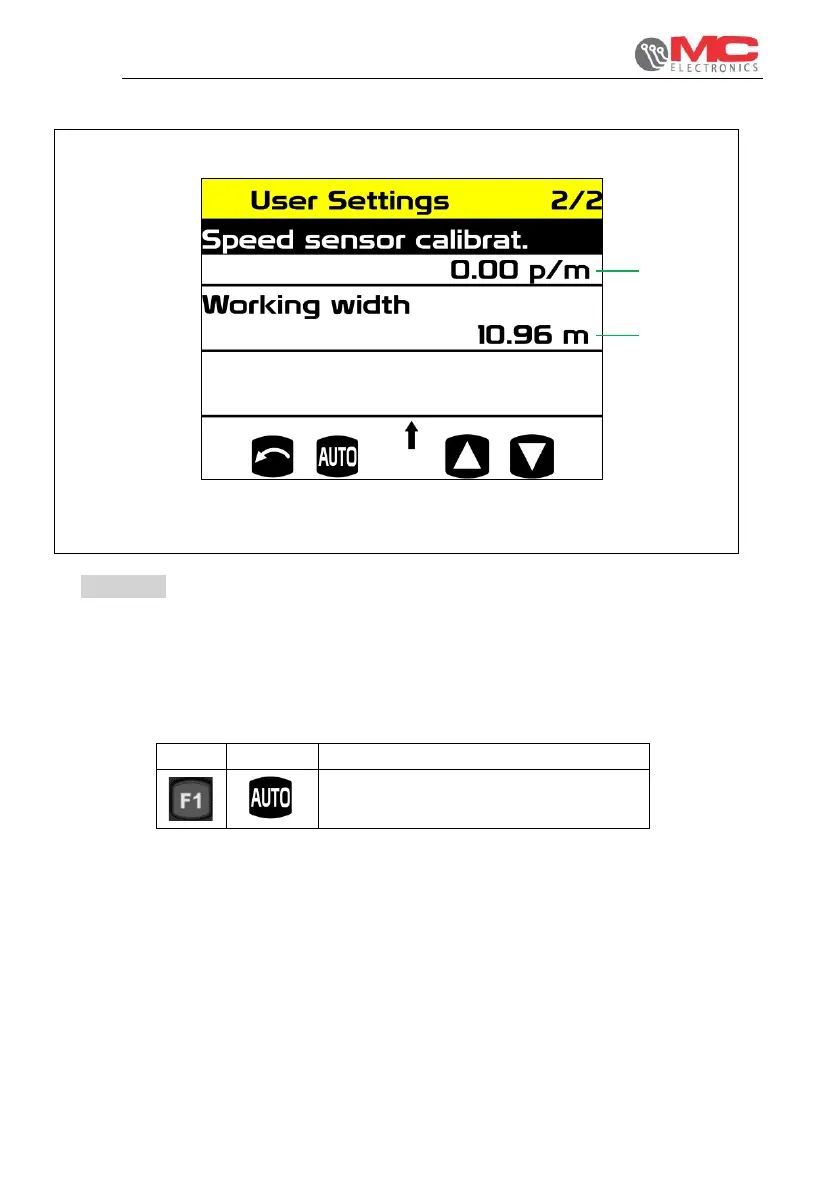
Figure 15
1. Speed sensor calibration: This value, in pulses per metre, determines
the speed sensor resolution. Set to OFF if the sensor is not present.
When selecting this field, using the F1 key it is also possible to access the sensor
“auto-calibration”, described in detail below.
Pressing the UP key when no parameter is selected, allows you
to view the screen.
2. Working width: allows you to set the width relative to the work bar – this setting
affects the calculations of the losses.
On the work screen, it is possible to split this dimension up to a quarter of the
total entered.


 To Next Page