3.4 Graphic interface description
3.4.1 Home screen
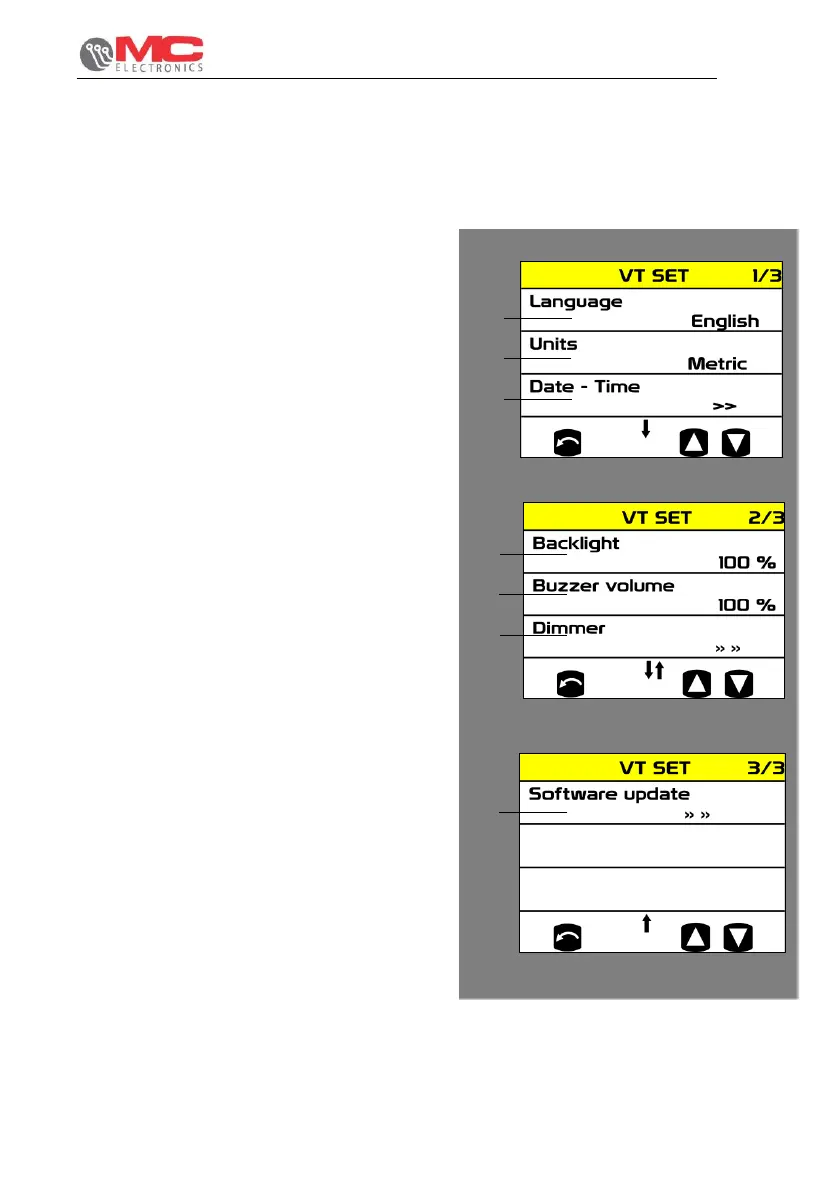
Pressing the menu key during system startup allows access to the device configuration
screens. VT SET consists of the following parameters:
1. Language: system operation language
selection
2. Unit of measurement: selection of the
type of unit of measurement to use.
3. Date and time: set date and hour of the
system.
4. Backlight: display backlighting intensity
adjustment
5. Buzzer volume: buzzer volume
adjustment.
6. Dimmer: automatic "day" to "night"
switching mode can be scheduled and
vice versa, the two modes are designed
to optimise visibility during the day and
not to excessively disturb the operator
during evening or night work.
7. Software update: VT software update.


 To Next Page