Extreme 9" Monitor/DVR System © 2014 McNeilus Truck and Manufacturing, Inc.
63
Preco Preview Radar System
PreView
®
Dual Sensor System for P/N 1474028
READ AND UNDERSTAND THESE INSTALLATION INSTRUCTIONS BEFORE INSTALLING THE PRECO
PREVIEW RADAR SYSTEM.
Follow all Lockout/Tagout instructions during installation of the Preco PreView System and its equipment.
McNeilus Kit Number 1474028
Item PreView Part Number Description Qty.
1 1407329 Sensor Assembly 2
2 1483959 Sensor Mounting Bracket with 10 degree angle 2
3 1483960 VideoLink Controller 1
4 1483962 Tailgate Harness 1
5 1483964 VideoLink Monitor Adaptor 1
6 1483963 VideoLink Camera Adaptor 1
7 1483944 Buzzer Kit (24V buzzer, red and black wire, terminals) 1
Installation Instructions
• Mount the Dual PreView
®
Sensors on Rear End Loaders
• The PreView
®
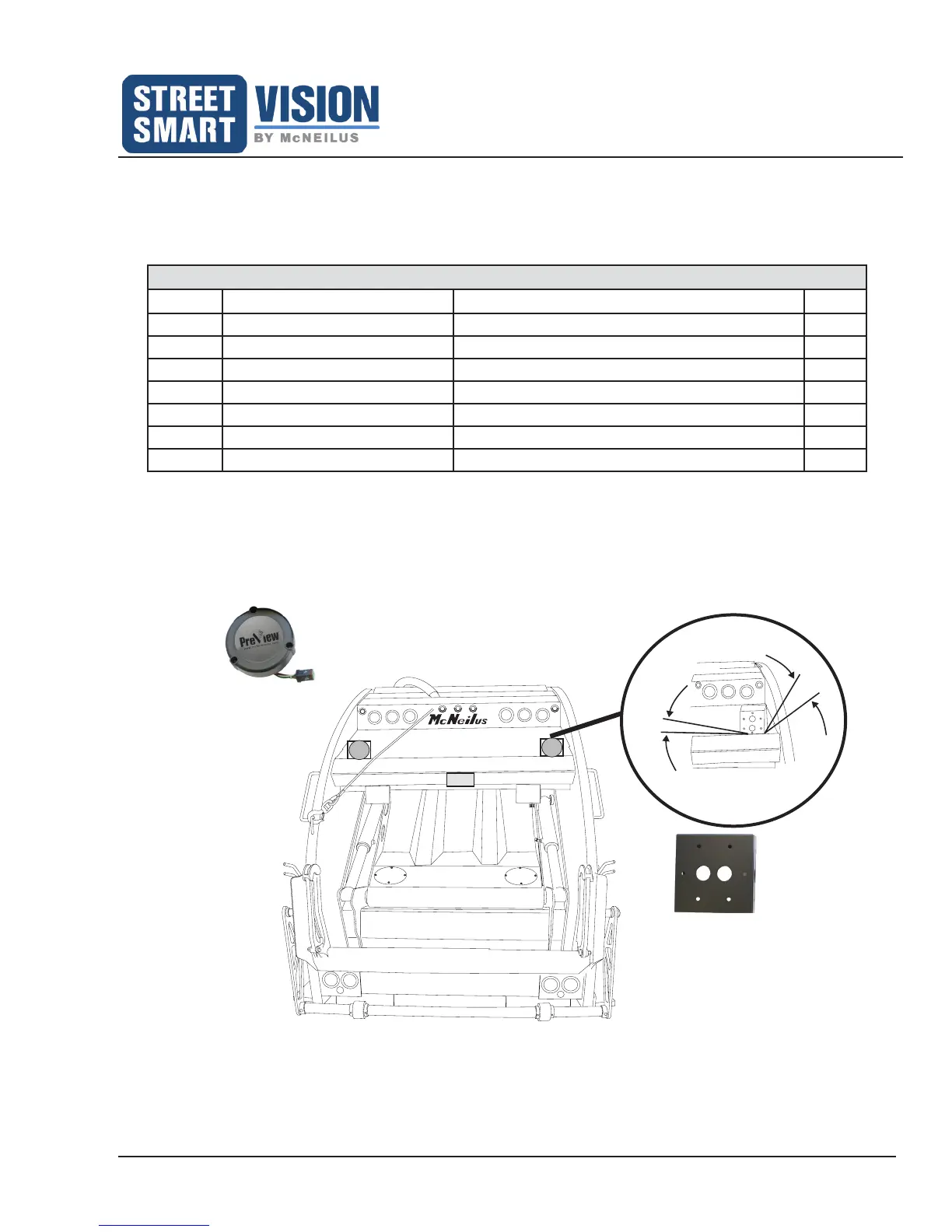
sensors are typically mounted above the compactor on the tailgate (see Figure 41).
• Bolt or weld the sensor mounting brackets with the sensors above the compactor. The 10 degree angle of
the brackets should be toward the center of the truck and 15 degrees down toward the ground.
PreView
PreView
Camera
10°
15°
Figure 41: Mount the Dual PreView Sensors on Rear End Loader.
Dual PreView Sensor
(P/N 1407329)
Dual PreView Sensor
Bracket (P/N 1483959)


 To Next Page