22
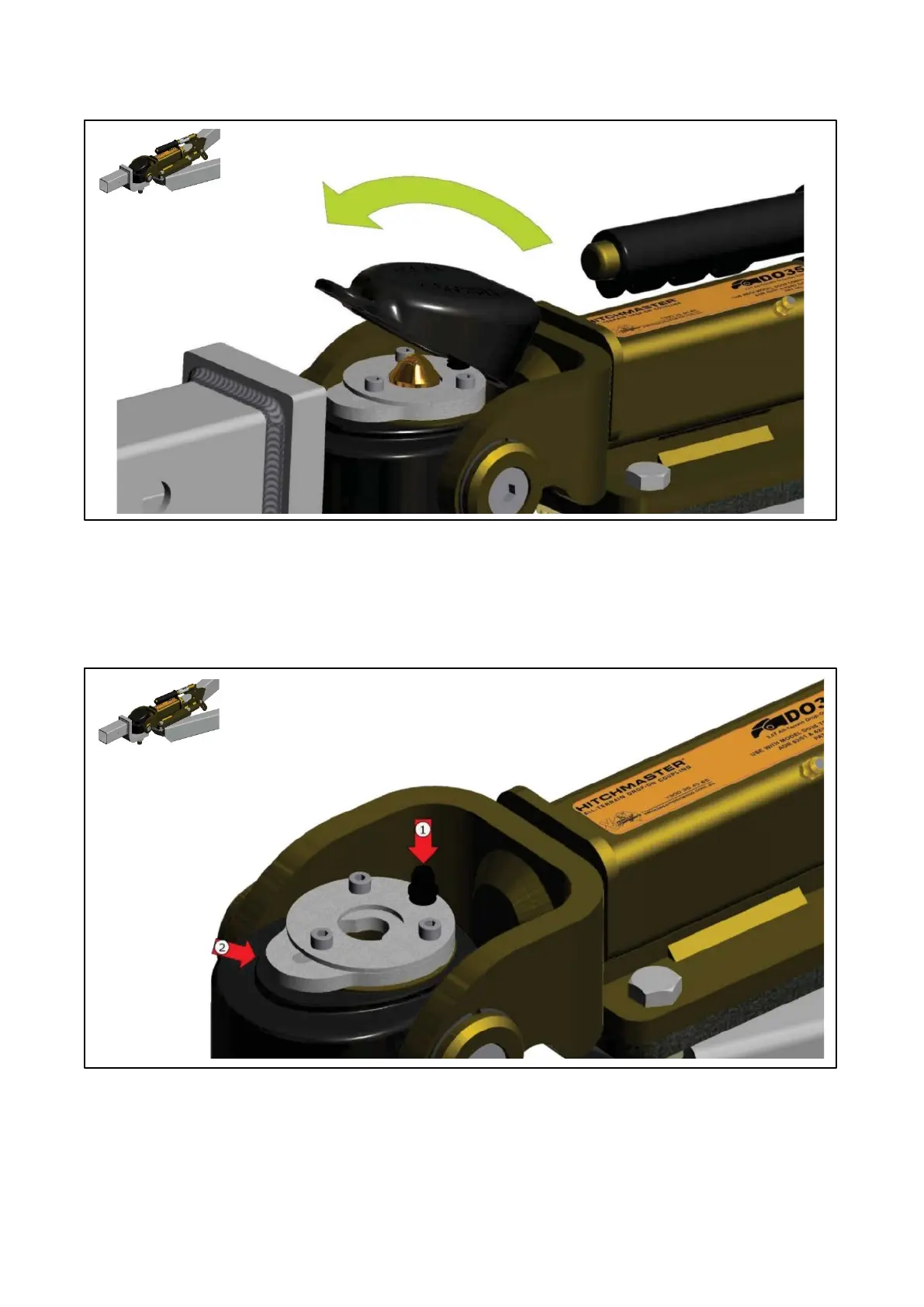
Make sure the dust cap is securely connected to the bump cover. This is done by locang the rear lip on the
dust cap onto the groove of the bump cover and then pushing it in a downward moon unl the dust cover
is secure (there should be a slight click when it has been assembled correctly) Test if the dust cover is
connected to the bump cover by applying a slight upward force to the dust cover, it shouldn’t separate.
This procedure should be applied if you are uncoupling or coupling up.
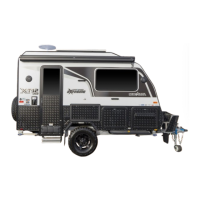
STEP 1
Push down the buon (1) and push the locking mechanism back (2). When the locking mechanism (2) is all
the way back, release the buon (1) locking the plate in place







 To Next Page