Mecmesin MultiTest-x manual
29
are only required for the 1
st
, 11
th
, 21
st
, 31
st
, 41
st
, and 51
st
, cycles. Pressing [Start/ENT]
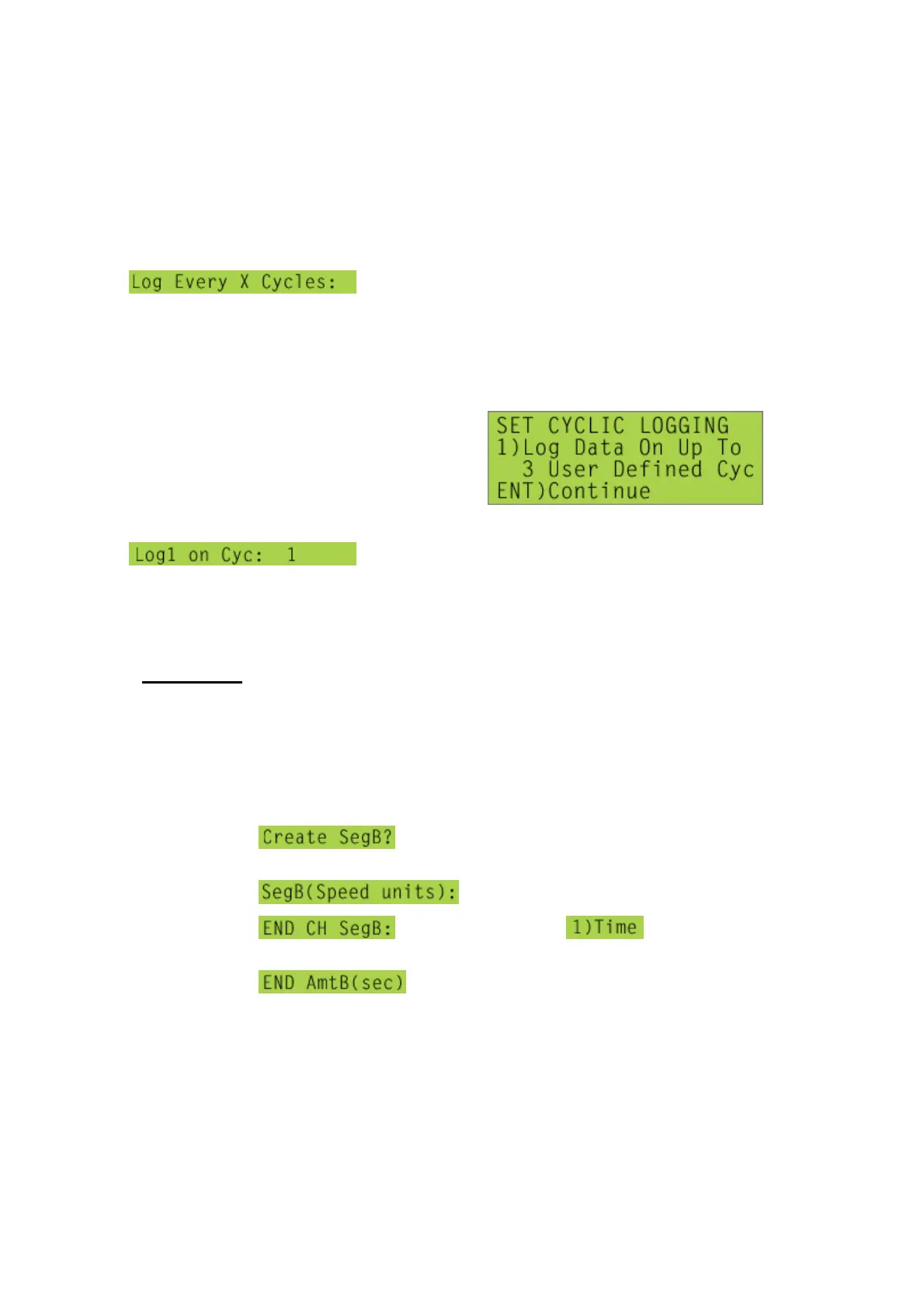
displays,
type in appropriate number of cycles (10 in example
above), and press [Start/ENT].
An alternative way of specifying a test which only records data during particular
cycles, cycles 1, 10 and 100, for example, is to press the [1] key, to toggle the display
to,
then press [Start/ENT] to display,
, accept the default value of ‘1’, press [Start/ENT]
again, and type in ‘10’, press [Start/ENT] again, and type in ‘100’, then press
[Start/ENT] to complete the specification of this command. (Note that a maximum of
three cycles can be specified in this manner.)
**Loadholding
Segment B can be programmed to ‘hold’ a particular value of load for a given period
of time. During a creep test, for example, as the loaded specimen relaxes and the
load decreases, the software will automatically make small changes to the position of
the crosshead to maintain the load at a specified value. To loadhold at 20N for 30
seconds, program Segment A to run to that load, then:
d) At the prompt (see above), press [1] to
choose ‘Yes’ option,
e) At the prompt, enter a speed of zero,
f) At the prompt, press [1] until is
displayed on 2
nd
line,
g) At the prompt, enter a time of ‘30’



 To Next Page