EasyManua.ls Logo

Mecmesin MultiTest-x Series - Page 56

Mecmesin MultiTest-x Series
80 pages
Print Icon
To Next Page IconTo Next Page
To Previous Page IconTo Previous Page
Loading...
Appendix 6: MultiTest-x Menu Options Page 4
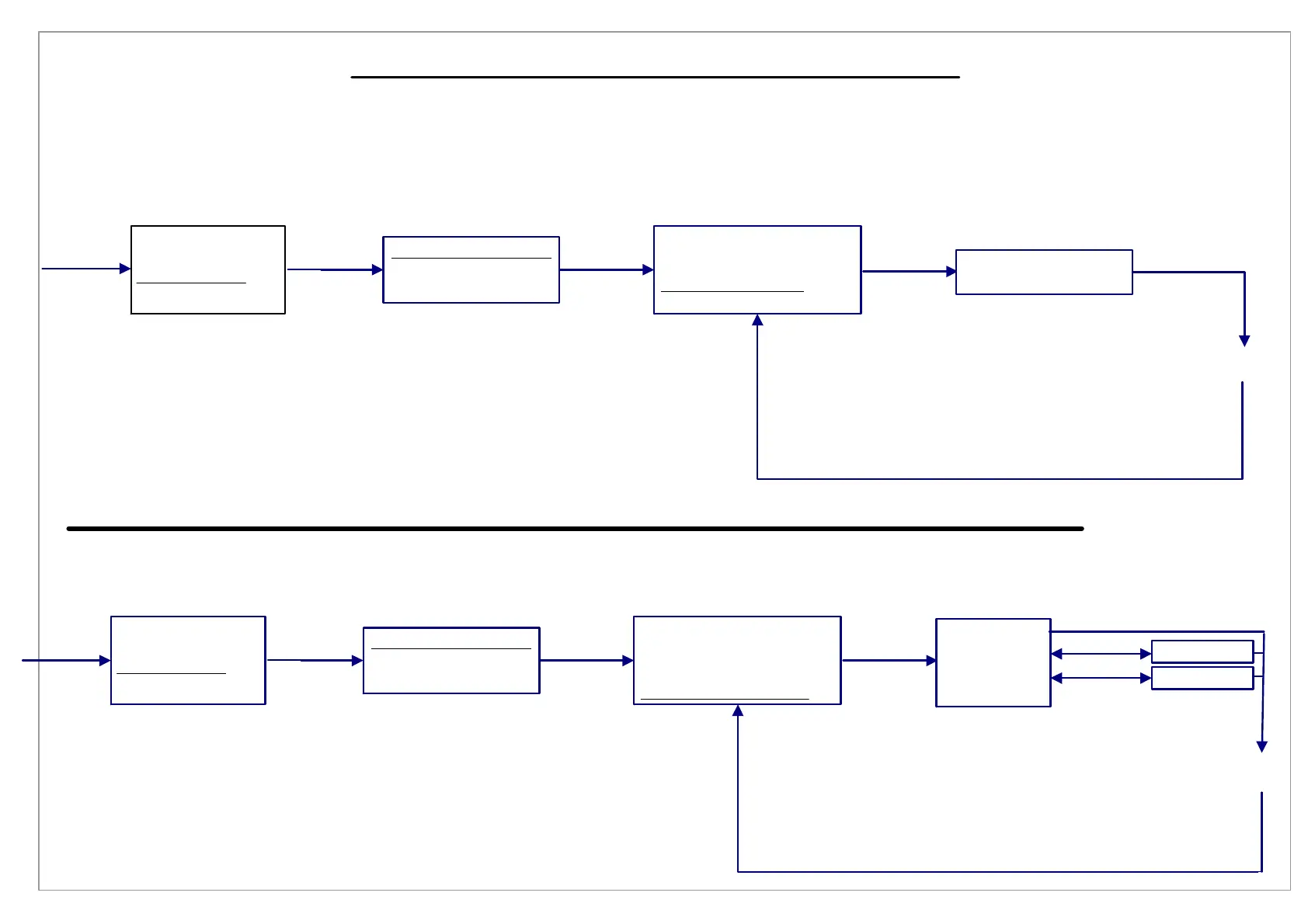
[1], [3], [1], [4] Local Overload
[1], [3], [1], [5] Engineering Units
Press
[1/Menu]
Press
[1/Menu]
1) Procedure 1
2) Print Menu
3) Setup Menu
4) Utilities Menu
Press
[3]
1) Acquisition Menu
2) Analysis Menu
3) Control Menu
Press
[1]
1) Threshold
2) Sample Break
3) Log Rate
4) Local Overload v
5) Engineering Units
Press
[4]
Local Overload (N):
10
Press [Stop/BK SP]
to clear the value
and type in
a new value
Press
[Start/ENT]
1) Procedure 1
2) Print Menu
3) Setup Menu
4) Utilities Menu
Press
[3]
1) Acquisition Menu
2) Analysis Menu
3) Control Menu
Press
[1]
1) Threshold
2) Sample Break
3) Log Rate
4) Local Overload v
5) Engineering Units
1) Force: N
2) Time: sec
3) Length: mm
BKSP) Exit
Press
[Start/ENT]
Press [Jog Dn]
and
Press [5]
Press <1> to scroll
through
measurement units
Press <2> to toggle
between sec & min
Press <3> to toggle
between mm & in
2)Time: min
3)Length: in

Table of Contents

Related product manuals