25 | Preparation for use / operating instructions
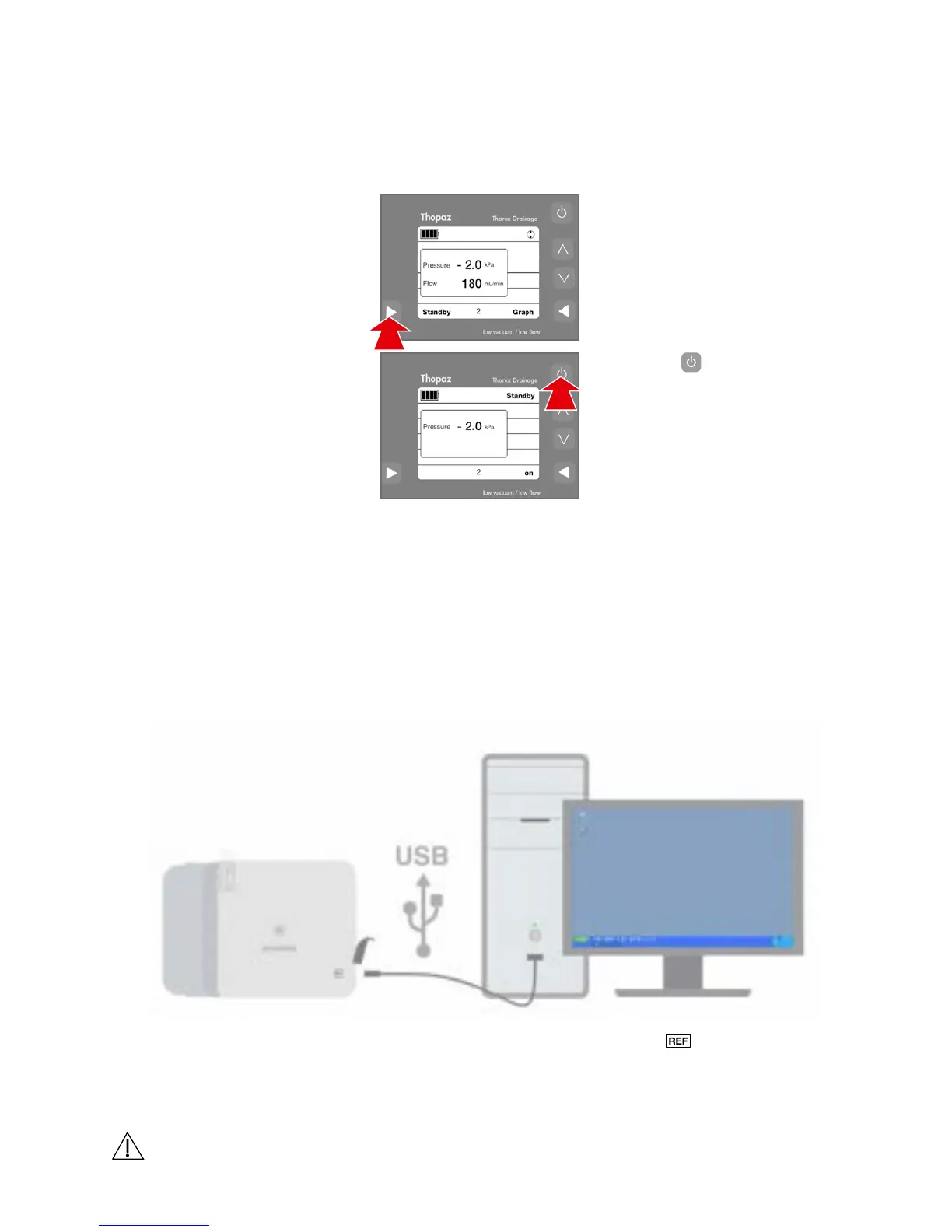
Switching Thopaz off
Release, remove and seal the canister by the canister seal.
Dispose of canister and patient tubing in accordance with
internal hospital guidelines.
3.
1. 1.1 Clamp patient tubing with
the tube clamp.
1.2 Press «Standby» for longer
than 3 seconds to switch
off the pressure (Standby
mode).
2.
2.1 Press [
] quickly to
switch off Thopaz.
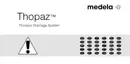
For the connection between Thopaz and a PC use the USB cable 079.0034.
ThopEasy is compatible with the following Microsoft Operating Systems:
Windows 7, Vista, XP, 2000.
Transfering data to PC with ThopEasy
With ThopEasy all stored data can be transferred to a PC as documentation and for
completion of the patient records. The data can be expanded with patient information,
saved and printed. Operating instructions and the software can be found on the Thopaz
CD included in the s
cope of delivery.
8.8
8.9
WARNINGS
Data transfer via USB is not allowed during therapy.
Operation





 To Next Page