EN
Changing settings | 30
Setting a changed
parameter as standard
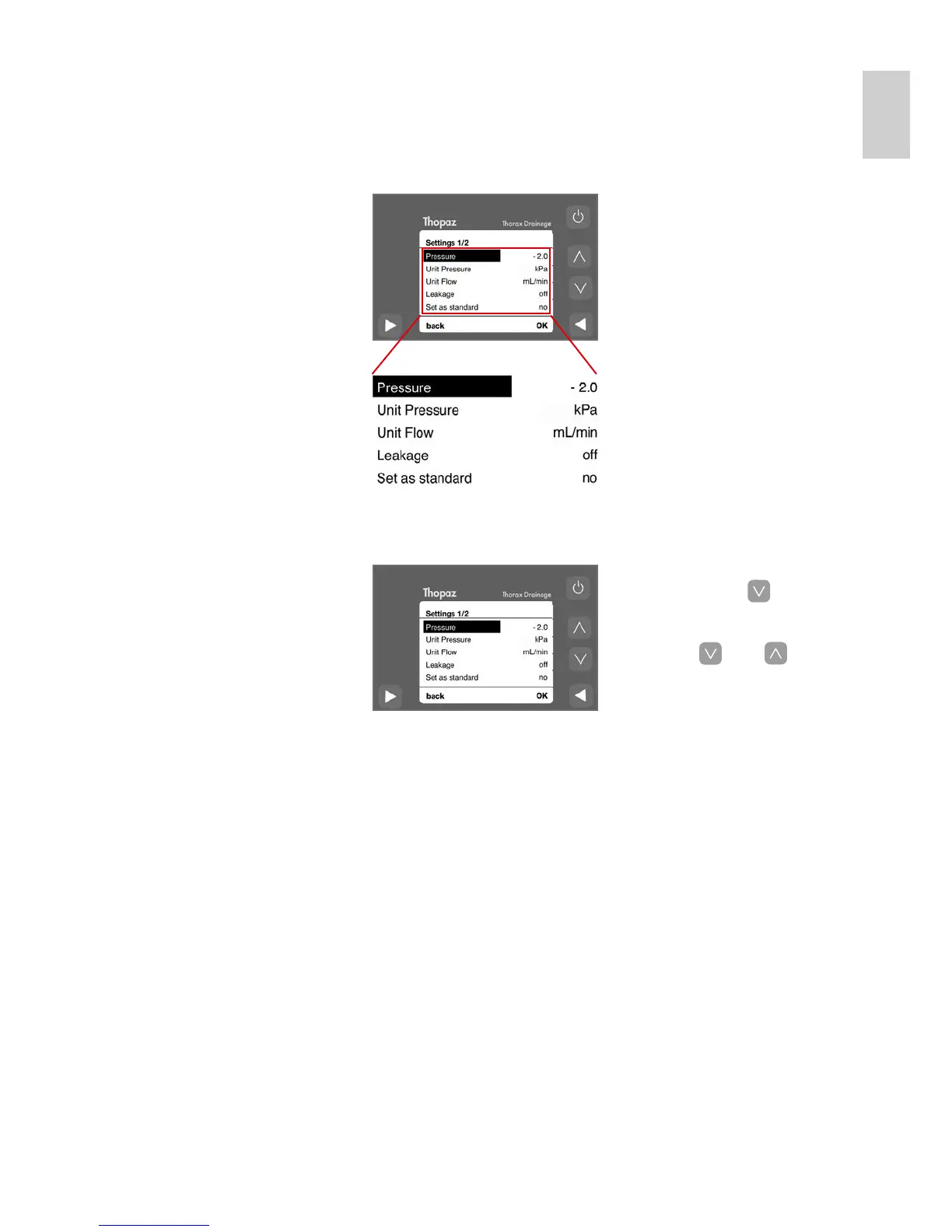
1. Switch to «Set as standard»
by pressing [
] 4 times.
2. Activate «Set as standard»
with «OK».
3. Press [
] or [ ] to
change from «no» to «yes»
and confirm with «OK».
(The display will switch
back to «no»).
4. Press «back» to reactivate
the Standby mode.
The new setting is active
whenever Thopaz is
switched on.
Factory settings Thopaz is delivered with the
following factory settings.
These settings can be
changed and saved as
the new standard.
Change pressure
Change settings





 To Next Page