MVR Lite-UG01-EN-200324-OB
<19>
MVR Lite User Guide - English
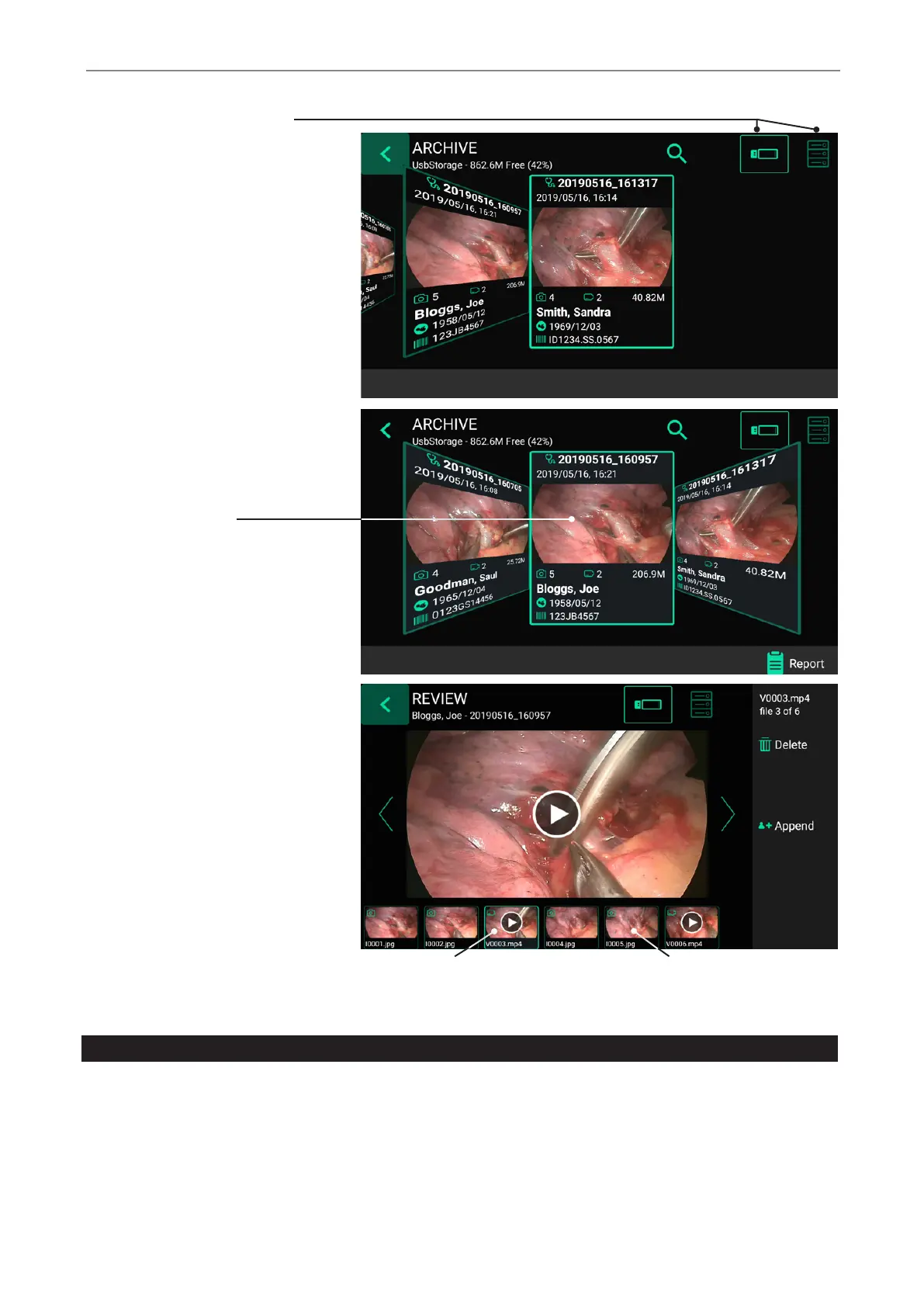
Select one storage: USB or Network*
Tap on study for selection
To select a study, a video or a still image,
simply tap on the preview icon.
Tap on video for playback
Tap on image for editing
*Note: Only available when Network is activated by activation key.
Deleting Data
Data on selected storage media can be deleted individually. Your conrmation of each deleting activity is requested on the screen.
• Deleting single les (pictures/videos): Select the le you want to delete and tap on the delete icon.
• Deleting of a complete study is possible, as soon as it is empty – all les where already deleted.
• Clearing of all data from the device storage. Please use the formatting process to delete all data from directly
connected storages (USB memory or internal memory):
➤ Settings ➤ Advanced ➤ Update & Default
Note: When using the formatting process, all data is deleted and cannot be recovered!


 To Next Page