MVR Lite-UG01-EN-200324-OB
<26>
MVR Lite User Guide - English
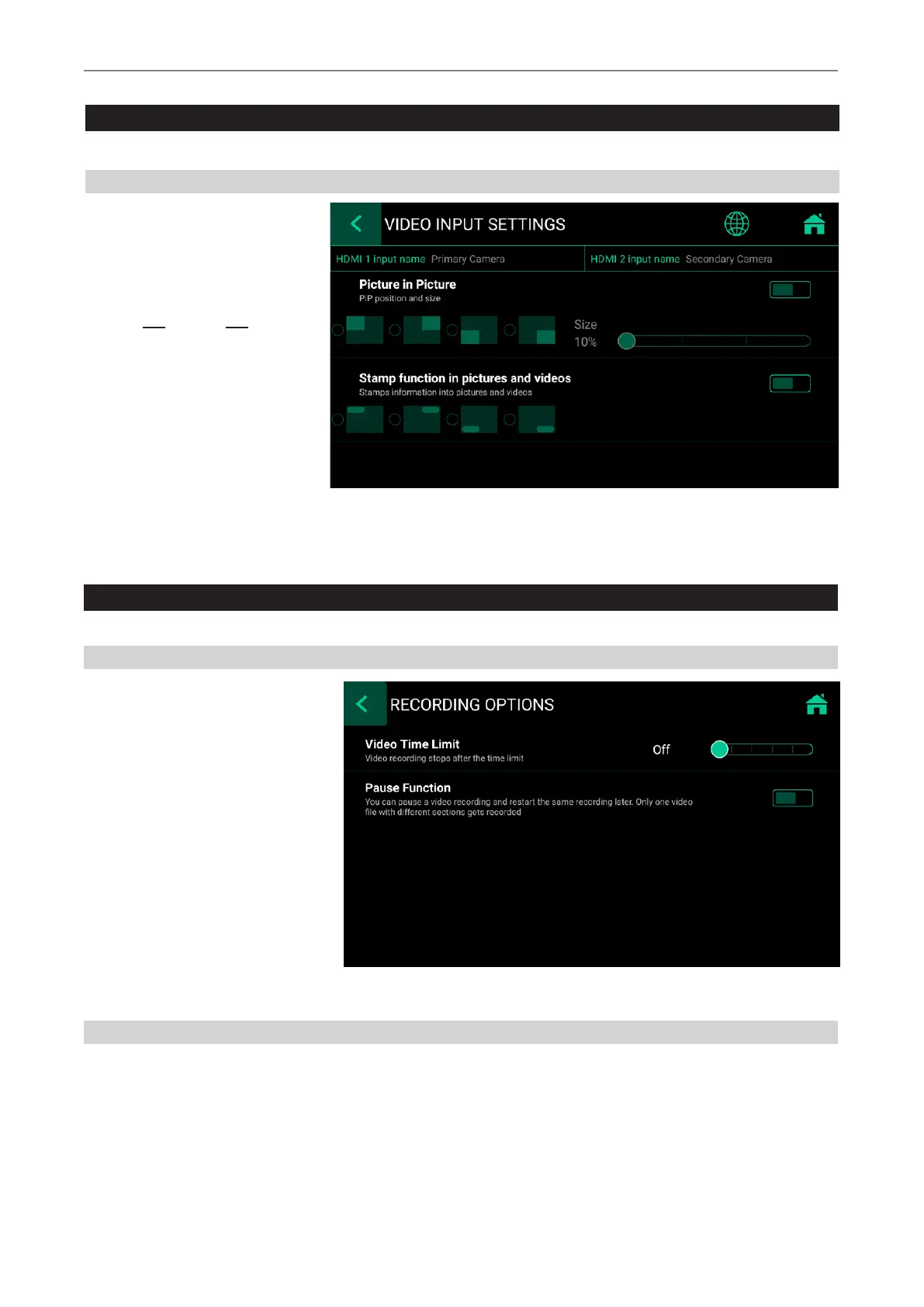
Recording Options
➤ Settings ➤Video/Audio ➤Recording Options
Video Time Limit
Allows you to choose time limits on
recordings. For example, you can set a
recording time limit of 5 minutes.
Pause Function
You can activate the optional video recording pause function.
Special Video Input Settings
➤ Settings ➤Video/Audio ➤Video Input
Picture-in-Picture Recording (PIP)
When using Multi-Input you can set
MVR Lite to Picture-in-Picture.
Input 2 will be displayed as a window
in Input 1.
• Exactly this view gets recorded
as one picture or one video into
the patient study folder.
• You can choose the size and
position of the PIP window.


 To Next Page