MVR Lite-UG01-EN-200324-OB
<27>
MVR Lite User Guide - English
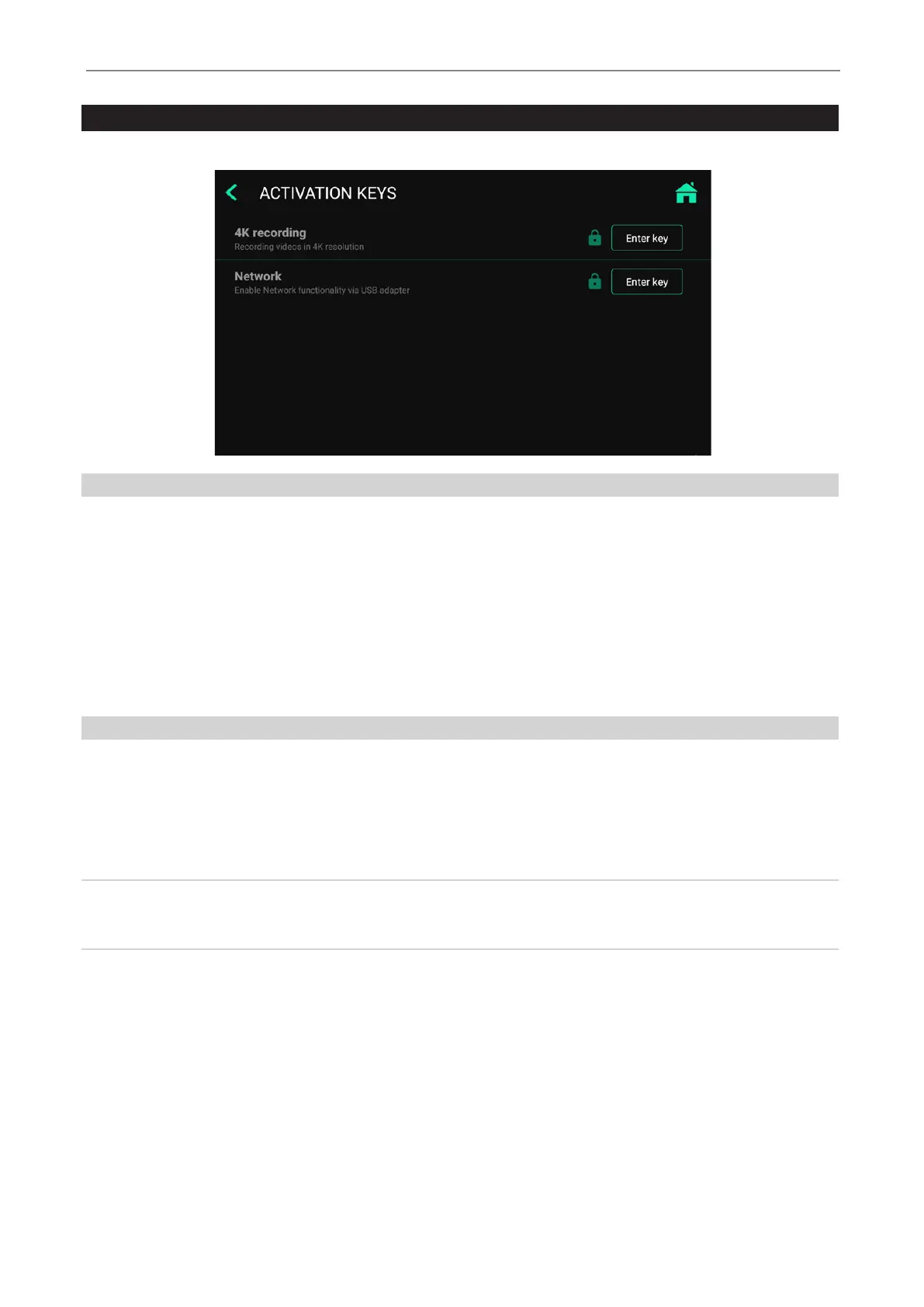
Upgrades / Activation keys
➤ Settings ➤Advanced ➤Activation keys
4K Recording Upgrade
MVR Lite can be upgraded to recording in a higher resolution 2160p. Your camera equipment should provide a signal on HDMI
in 2160p30. If your camera equipment provides 4x 3G-SDI in Quad-Split (=Square Division) or 2-Sample Interleave format,
MediCapture´s additional item MVC Pro SDI to HDMI will convert your SDI-signals to HDMI.
• Please enter the 8-digit activation key.
• The key is specic to the current device and cannot be used for other devices.
• Please contact MediCapture for ordering information to the 4K recording activation key of MVR Lite.
• The unique device ID needs to be provided (see Information screen).
Network Upgrade
MVR Lite can be upgraded to enable networking.
When networking is enabled, studies can be stored directly to an additional shared folder on your network server (see section
Archive). Networking needs to be enabled to connect MVR Lite to a LAN router. This enables the option to control MVR Lite with
the MVR Remote App on a portable device (example: Android tablet via Wi-Fi). Networking also enables printing of reports to a
connected network printer.
Note: MVR Lite does not feature a networking socket on the back panel.
A USB-LAN Adapter is required to connect network cables.
Please contact MediCapture for ordering suitable accessories.
• Please enter the 8-digit activation key.
• The key is specic to the current device and cannot be used for other devices.
• Please contact MediCapture for ordering information to the Network activation key of MVR Lite.
• The unique device ID needs to be provided (see Information screen).


 To Next Page