MVR Lite-UG01-EN-200324-OB
<23>
MVR Lite User Guide - English
Settings (for Administrators)
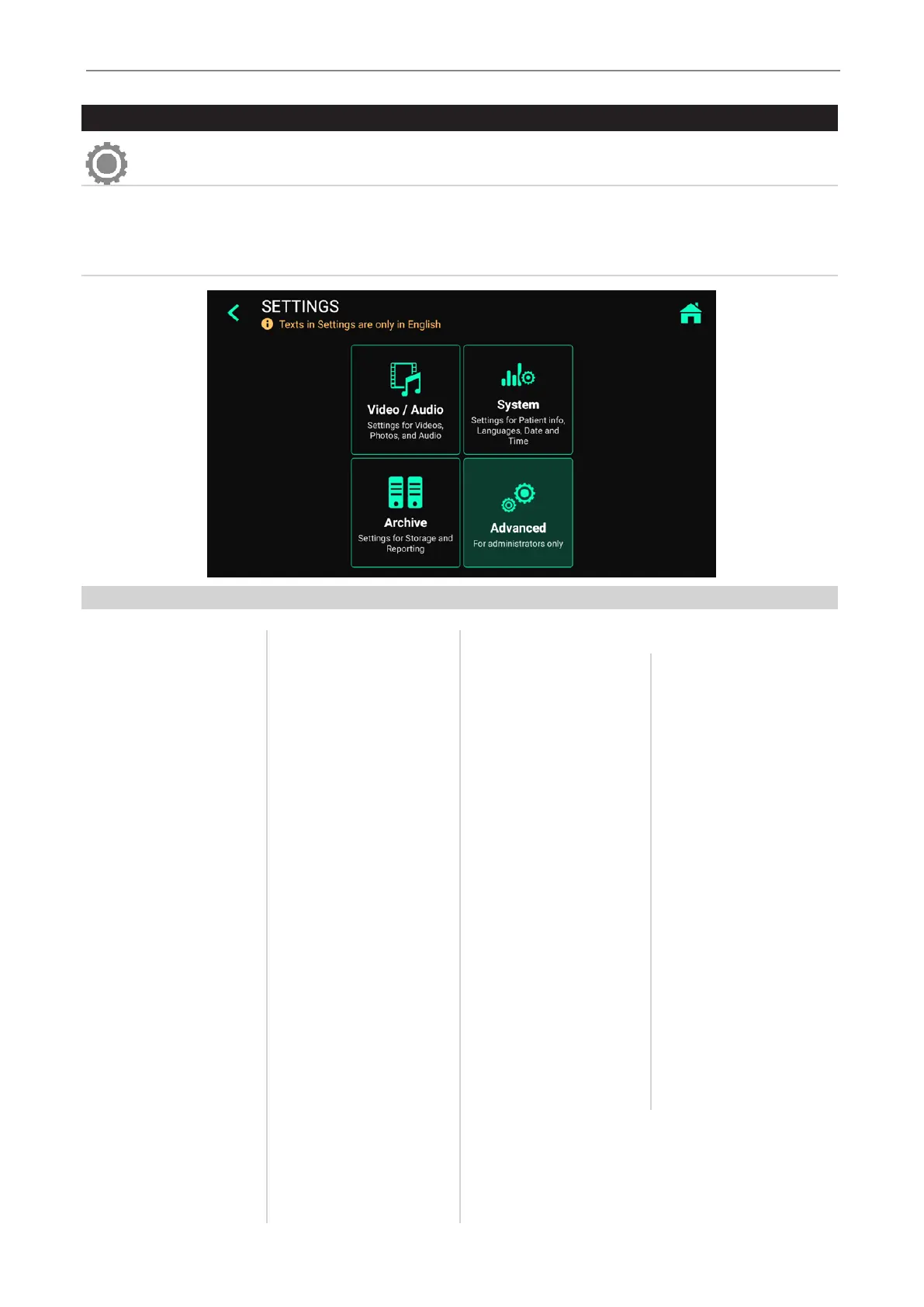
You can nd all MVR Lite setup features in Settings.
Please note: Advanced Settings as well as optional networking should only
be changed by technical personnel or IT administrators.
SETTINGS are only available in English language.
Advanced Settings can be protected by a password. You can create your own password.
Structure of Settings:
Video/Audio
• Video Input
- Renaming Video
Input 1 and Video Input 2
- Picture in Picture
- Stamp function in pictures
and videos
• Recording Quality
- Quality
- Codec selection
• Recording Options
- Video Time Limit
- Pause Function
• Photo Settings
- Image Format
- Freeze on capture
• Audio Input
- Audio activation
- Microphone selection
(voice source) Wired
headset microphone /
USB microphone
System
• Patient Info
- Patient Info selection
(Off / Human / Veterinary)
- Location input
(Hospital / Department /
Location / Device title)
• Printer Setup
- Printer Selection
- Number of copies
• Display
- Pointer Speed
• Date and Time
- Time zone selection
- Date
- Time
• Language
- User Interface language
selection
Archive
• Storage
- Activation of
USB / Network
- Resolution limits
- Format of Folder names
• Report Settings
- Header image import
- Footer text
- Notes text
- Page layout
- Page size
- Auto print report
(activation)
• Connections-
- Network
◦ Auto IP / Manual IP
selection
◦ Manual IP setup
- Network Storage
◦ Server Properties
◦ Video resolution limit
to network (preset for
administrator)
◦ Find server
◦ Connection test
- Remote App
◦ Analytics
- Remote Access
◦ MVR IP address info
◦ Remote access
activation
◦ Remote password
conguration
◦ Local storage.
Enable local storage
on remote device
(MVR Remote App)
• Update & Default
- Update rmware
- Format USB storage
- Reset settings to default
- Reset device to factory
default
• User accounts
- User account activation
- User account setup
• Activation keys
- 4K recording
- Network
• Audit Trail
- Review log les
- Filter log les
- Copy to USB
- Delete log les
Advanced (can be password protected)


 To Next Page