Mark V ProVis Injection System
8 - 2
NOTE: To clear PPI Memory in CRC systems: Remove power,
then short pin 2 to pin 1 or 3 of JU1. The shorted state
should be maintained for several seconds to ensure
complete and proper clearing.
NOTE: To clear PPI Memory in Pedestal systems, remove the
rear panel access doors, then depress the PPI Reset
button (S1) on the rear of the electronics console. With
S1 depressed, remove and reapply unit power.
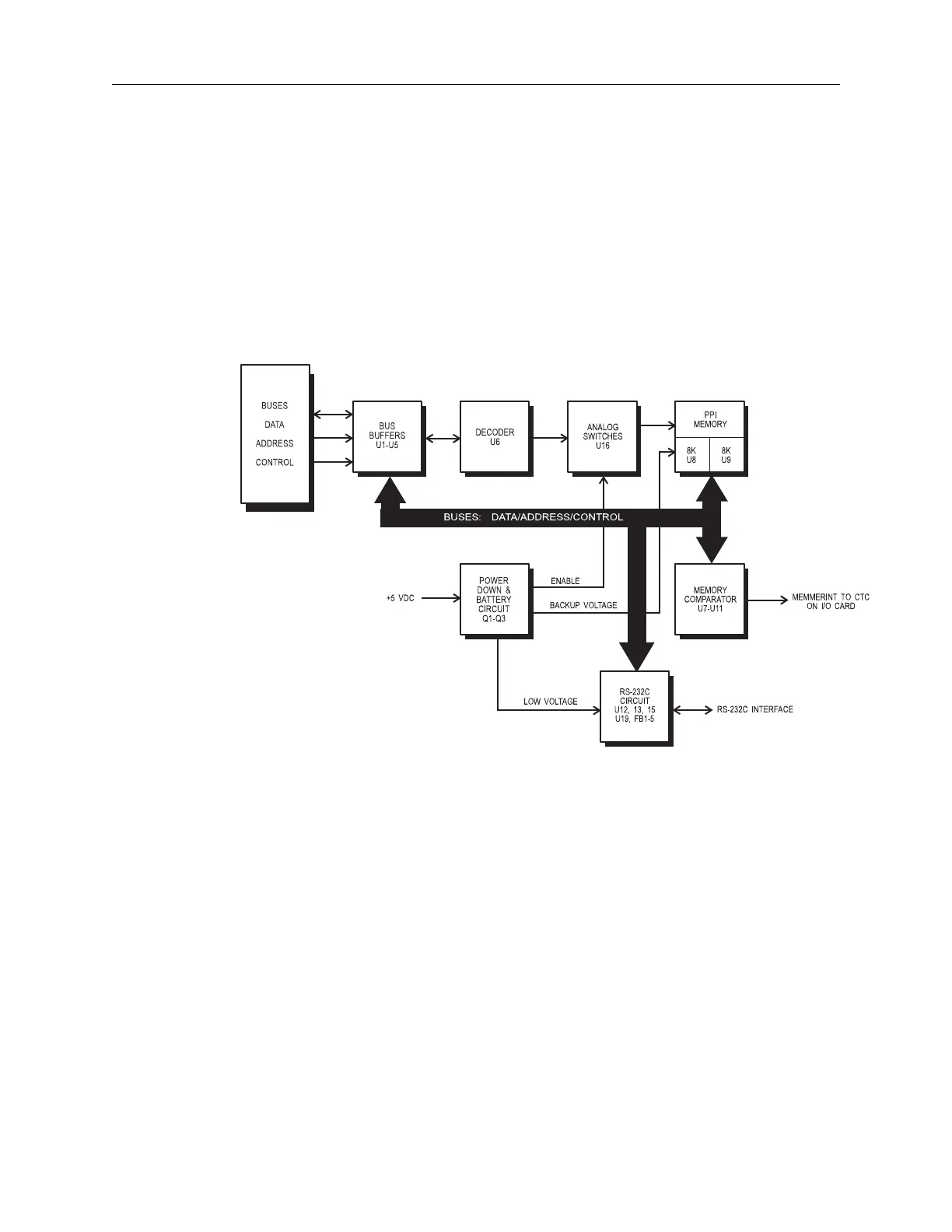
Figure 8.1:Block Diagram: PPI Card



 To Next Page