9
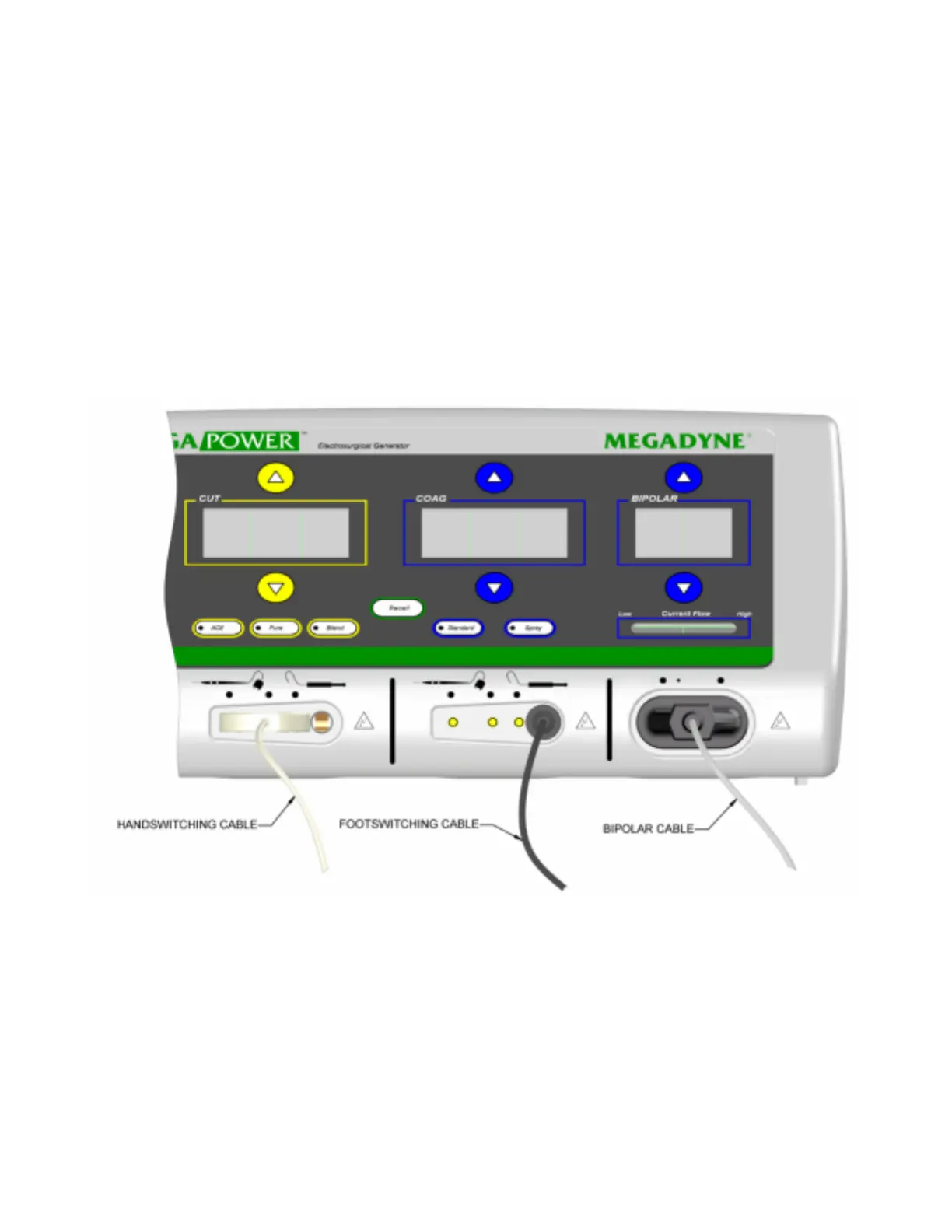
Active Accessories: The Active Accessories are the monopolar hand switching
pencils, electrodes, monopolar foot cords, and bipolar cords. Megadyne recommends
the use of the Megadyne family of Active Accessories, including E-Z Clean electrodes.
Fully insert the Active Accessories into their appropriate receptacles ensuring that no
metal is exposed (figure 4)
Powering the Generator: Turn on the generator by placing the “ON/OFF” switch into the
“ON” position. Once the generator completes the start-up and self check routines of
approximately 8
seconds, the power displays will show dashed lines.
Power Settings: To recall the last power setting used, press the RECALL key. Power
settings may also be initiated by using the up arrow key when the dashed lines are
displayed on the panel. Power settings may be adjusted by using the up and down
arrow keys.
Figure 4.
Figure 4.


 To Next Page