45
Step 3 – Removal/Replacement of the Controller Board
If it is determined in the Troubleshooting Section that the controller board needs
replacing, please follow the instructions below:
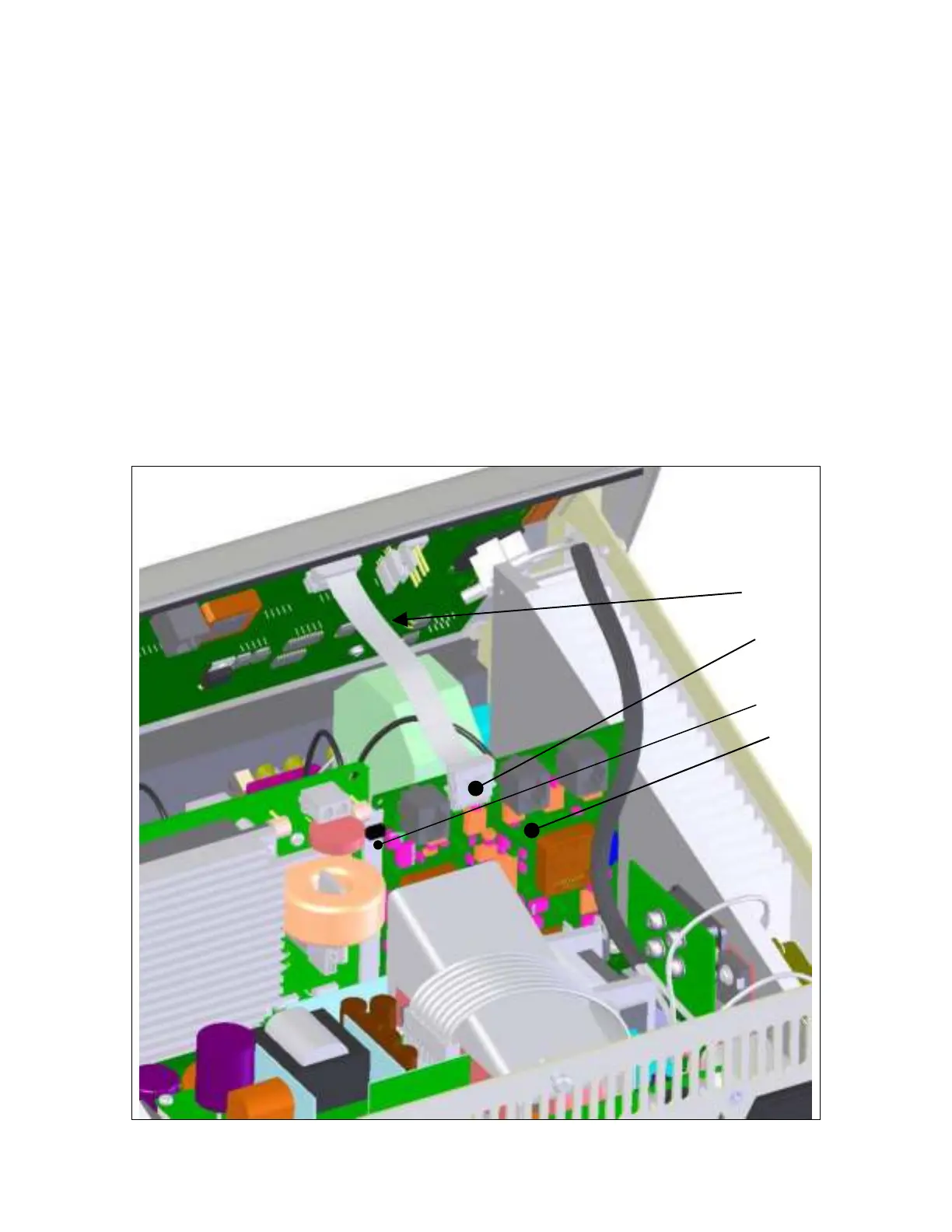
Disconnect the display board ribbon cable (item B) from the controller board by
squeezing the sides of the connector (item C) and pulling straight up.
Unlock the controller board from the card guide by pressing the card lock (item D)
toward the rear of the ESU. Carefully slide the controller board straight up through the
card guides to disconnect it from the motherboard. Set the board aside in an antistatic
container for reinstallation.
Repeat steps in reverse order to install Controller board.


 To Next Page