47
Step 5 – Removal/Replacement of the Heat Sinks
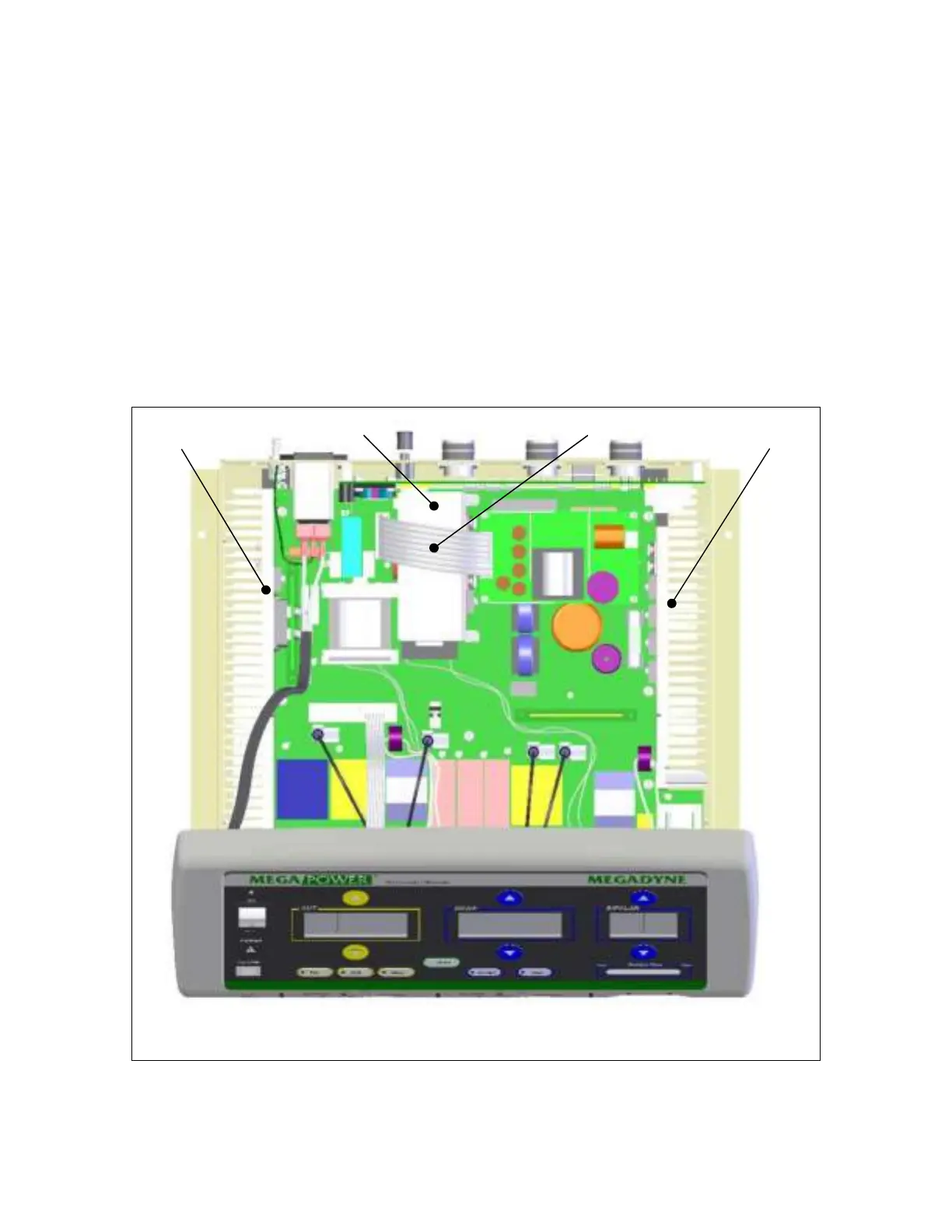
This step applies to item A, left heatsink and item D, right heatsink. Remove the two (2)
screws through the access holes (items E, see diagram on next page.) located on the
flanking chassis plates attached on each side of the ESU. Remove one (1) screw on the
chassis (item F, see diagram on next page). Pull the heat sink upwards to remove it.
This step applies to item B, center heatsink. Remove item C, low voltage supply
harness, to obtain access to item B. Remove the two screws securing the heat sink
(item B) to the motherboard. Pull the heatsink upwards to remove it.
Repeat steps in reverse order to install Heat sinks.
B
A D
C


 To Next Page