51
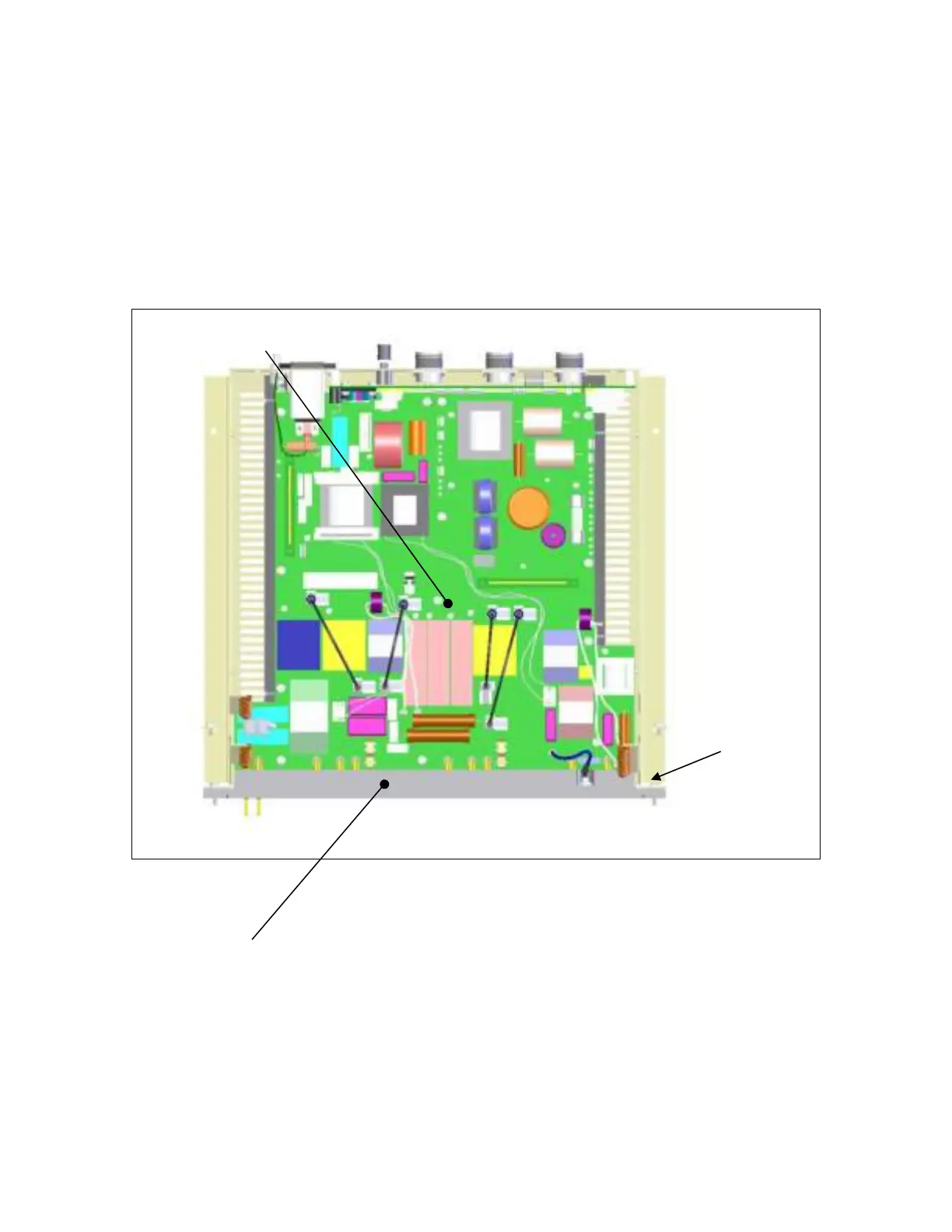
Step 8 – Removal/Replacement of the Motherboard
Remove the two (2) high-voltage connector screws and fifteen (15) chassis screws
securing the motherboard (item A) to the chassis.
Pull horizontally towards the front on the high-voltage connector (item B) to
remove the motherboard from the chassis.
Repeat steps in reverse order to install the motherboard.
A
B
HV Screw
Both Sides


 To Next Page